
You can get your UAE labour card number online using the MoHRE mobile app, the MoHRE e-services website, or the UAE Pass app. All methods require you to log in with your Emirates ID or UAE Pass credentials, allowing you to view your digital labour card and employment contract details instantly.
Quick Actions: View Your Number Now
- Download the MoHRE App: This is the most direct way to see your digital labour card and contract.
- Activate Your UAE Pass: This digital ID is essential for logging into all UAE government service portals, including MoHRE.
- Have Your Emirates ID Ready: You will need your ID number to verify your identity on all platforms.
Finding your labour card number in the UAE is a simple, digital process. You no longer need to wait for a physical card. This number is your unique identifier with the Ministry of Human Resources and Emiratization (MoHRE) and is crucial for many services.
This guide details three clear methods to find your number immediately.
What is a UAE Labour Card Number?
Your labour card number is a critical piece of information for any expatriate working in the UAE. It is issued by the Ministry of Human Resources and Emiratization (MoHRE) as soon as your employment contract is officially registered.
Understanding your work permit
In the past, employees were issued a physical plastic card. Today, the process is entirely digital. The “labour card number” is the same as your “work permit number” and is digitally linked to your Emirates ID and residence visa.
This number serves as the official record of your employment, accessible by both you and your employer through government portals.
Why this number is important
Your labour card number is more than just a formality; it’s essential for your life in the UAE.
- Legal Verification: It is the primary proof that you are legally employed in the country and that your employment contract is registered with MoHRE.
- Access to Services: You may need this number when applying for a bank account, a personal loan, or sponsoring family members.
- Contract Management: It links directly to your official labour contract, allowing you to view your salary, position, and other terms of employment at any time.
- Job Mobility: This number is used when you transfer your sponsorship from one employer to another.
How to Get Labour Card Number: 3 Methods
You can check your labour card number in minutes using any of these three official digital methods. All are free and secure.
Method 1: Using the MoHRE Mobile App
This is the most popular and direct way to access all your employment details from your phone.
Step 1. Download the MoHRE App: Find the official ‘MoHRE’ app on the Apple App Store or Google Play Store and install it.
Step 2. Register or Log In: Open the app. If you are a new user, select “Employee.” You will be prompted to log in using your UAE Pass. If you don’t have UAE Pass, you can create an account using your Emirates ID and registered mobile number.
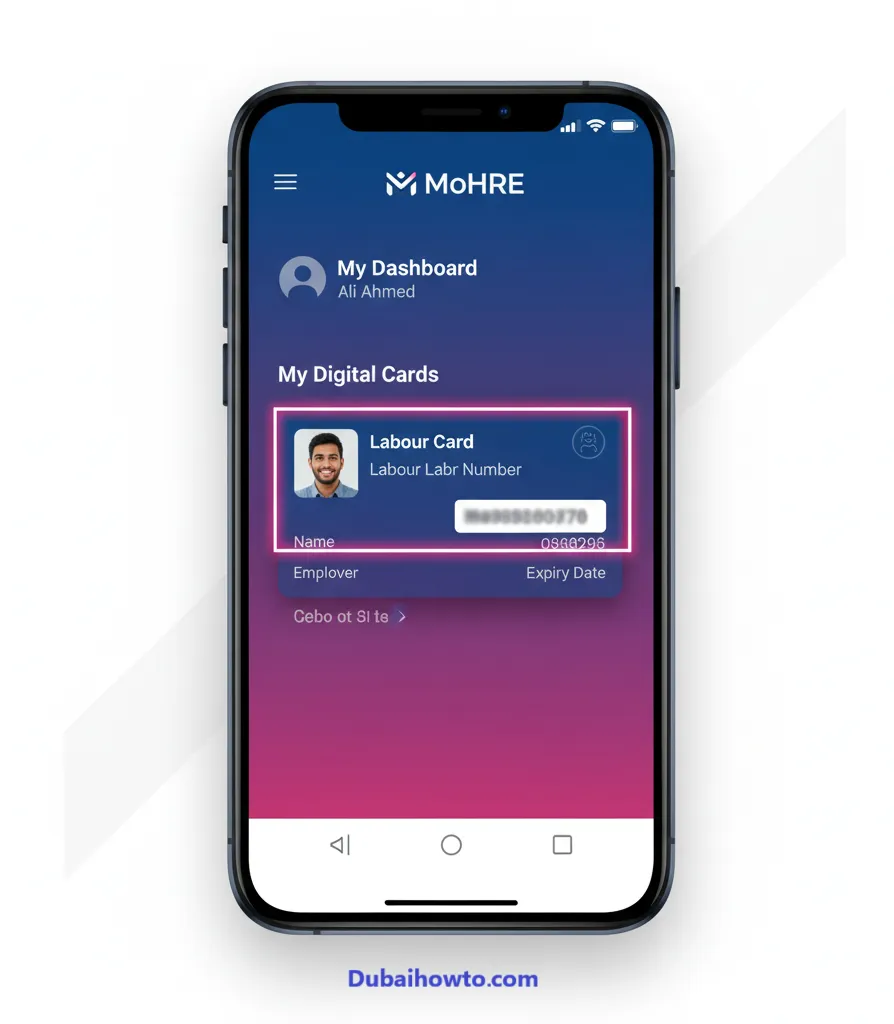
Step 3. Navigate to Your Profile: Once logged in, you will land on “My Dashboard.” This screen immediately shows your name, photo, and basic employment details.
Step 4. View Your Labour Card: On the dashboard, tap on your profile or look for an option like “View Labour Card” or “My Contract.” The app will display a digital version of your labour card, clearly showing the Labour Card Number, your Personal ID No. (from the card), profession, and expiry date.
Method 2: Using the MoHRE E-Services Website
If you prefer to use a desktop or laptop, the official MoHRE website provides the same information.
Step 1. Visit the Official MoHRE Website: Navigate to the official MoHRE e-services portal. Be sure you are on the correct government domain.
Step 2. Log In as an Employee: On the homepage, choose the “Login” option. Select “Employee” or “Individual” and log in using your UAE Pass credentials. This is the most secure and standard way to access the portal.
Step 3. Access Your Employee Services: After logging in, you will be taken to your personal dashboard. Look for a section named “My Services” or “My Contracts.”
Step 4. Locate the Labour Card Number: Click on the option to view your active employment contract. The system will display your full contract details, which includes your name, employer details, and your official Labour Card Number.
Method 3: Using the UAE Pass App
UAE Pass is the secure national digital identity for all UAE residents. It also serves as a digital document wallet, which automatically fetches your official documents.
Step 1. Open Your UAE Pass App: Log in to your UAE Pass app on your smartphone using your PIN, facial recognition, or fingerprint.
Step 2. Navigate to the ‘Documents’ Wallet: On the app’s home screen, tap on the “Documents” or “My Documents” category at the bottom.
Step 3. Add Documents from MoHRE: This section holds your official digital documents. If your labour card isn’t already visible, look for an option to “Add Documents” or refresh the sources. Ensure that “Ministry of Human Resources & Emiratization” is enabled as a document provider.
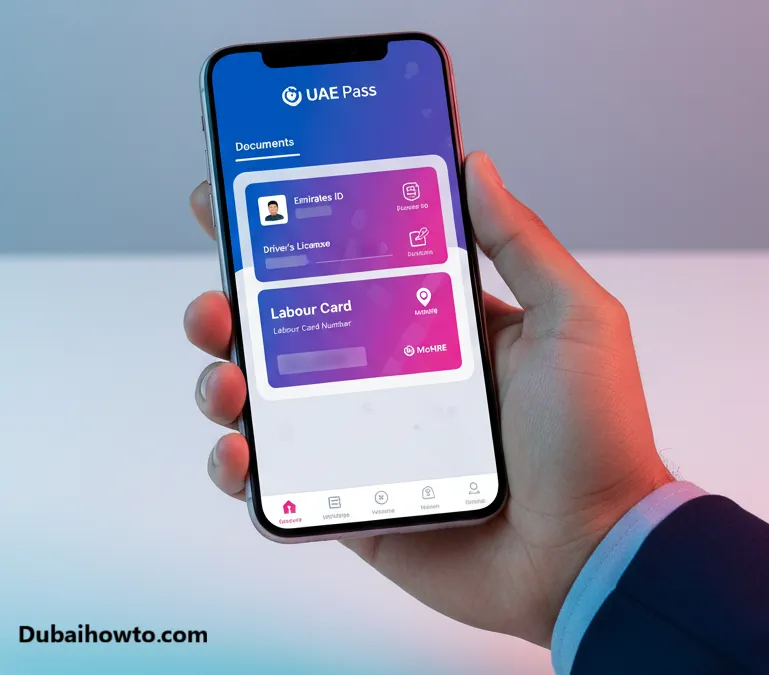
Step 4. View Your Labour Card: The app will fetch and display your “Labour Card” as a signed, official digital document. Tap on it to open. The document will show your name, photo, employer, and your Labour Card Number.
What to Do If You Can’t Find Your Number?
If you follow the steps above and still can’t see your labour card, don’t panic. There is usually a simple explanation.
Common login issues
Ensure you are using the correct app. The ‘MoHRE’ app is for private sector employees. If you work for a government or free zone entity, you may need to use their specific portal (like Dubai’s ‘GDRFA’ or a free zone authority website).
New employee data sync
If you are a brand new employee, it might take a few days after your visa stamping for your details to sync from the immigration system to the MoHRE portal. Check back after 24-48 hours.
When to contact your employer (PRO)
Your company’s Public Relations Officer (PRO) or HR department has access to the employer-side MoHRE portal. They can see all employee records and can provide you with your labour card number directly from their system.
How to contact MoHRE
If you are certain your contract is active but you cannot access it, you can contact the MoHRE call center directly at 600 590 000 for assistance.
Pro Tip: Take a screenshot of your digital labour card from the MoHRE or UAE Pass app. Save it to a secure folder on your phone or cloud storage for quick offline access when you need to provide the number.
Labour Card Details: Fees, Validity, and Renewal
While you, as an employee, can view the card for free, your employer is responsible for all associated costs and processes.
Current labour card fees (2026)
All fees related to the labour card (work permit) are paid by the employer, not the employee. As of 2026, these fees can range from AED 250 to AED 3,450, depending on the company’s classification (skill level of the employee and company’s commitment to diversity).
Validity and renewal timeline
Your labour card is typically valid for two years, matching the standard duration of an employment contract and residence visa. Your employer is legally required to initiate the renewal process within 60 days before it expires.
| Feature | Details |
| Issuance Fees | AED 250 – AED 3,450 (Paid by employer, based on company category) |
| Standard Validity | 2 years |
| Renewal Period | Must be renewed within 60 days of expiry |
| Renewal Responsibility | Employer |
| Governing Body | Ministry of Human Resources and Emiratization (MoHRE) |
Final Thoughts
Knowing how to get your labour card number is a vital skill for any employee in the UAE. Thanks to the digital-first approach of MoHRE and UAE Pass, this information is always at your fingertips.
By using the MoHRE app, website, or your UAE Pass wallet, you can instantly access your number, check your contract, and ensure your employment status is secure and up-to-date.
Frequently Asked Questions (FAQs)
1. Is the labour card number the same as the work permit number?
Yes. In the UAE, the Ministry of Human Resources and Emiratization (MoHRE) uses the terms “labour card number” and “work permit number” interchangeably. It is the unique identification number for your specific employment contract.
2. How can I get my labour card number with my Emirates ID?
You can use your Emirates ID to create your UAE Pass account. Once UAE Pass is active, you use it to log in to the MoHRE app or website. Your Emirates ID number itself is also listed on your digital labour card as your “Personal ID No.”
3. Can I check my labour card number if I am on a visit visa?
No. A labour card is only issued after an employment visa is processed and you are legally sponsored by a company in the UAE. It is directly linked to your residence visa and employment contract, which you do not have on a visit visa.
4. How long does it take to get a labour card number after my visa is stamped?
The process is now digital and very fast. Once your employer submits your approved labour contract to MoHRE and your residence visa is stamped, the digital labour card and number are generated almost instantly. It should appear in the MoHRE and UAE Pass apps within 24 hours.
Disclaimer: This article is for informational purposes only. All fees and processes are subject to change by the Ministry of Human Resources and Emiratization. Always refer to the official MoHRE portal for the most current information.
Last updated: October 2026
Reviewed by: DubaiHowTo Editorial Desk
This guide is part of our UAE Visa and Emirates ID Guide.

Author: The DubaiHowto Editorial Team
DubaiHowto is an independent informational platform created to help UAE residents and visitors understand everyday services such as public transport, telecom, government procedures, visas, fines, and utility systems.
Our editorial team researches and verifies content using official UAE sources (including government portals, service providers, and regulatory authorities) and real on-ground experience of living in the UAE. Each guide is written to be practical, easy to understand, and regularly updated to reflect the latest rules, fees, and procedures.
We focus on clarity, accuracy, and usefulness — especially for people navigating UAE systems for the first time. Learn More about DubaiHowto.
Last reviewed: February 2026. Sources: Official UAE portals and service providers