
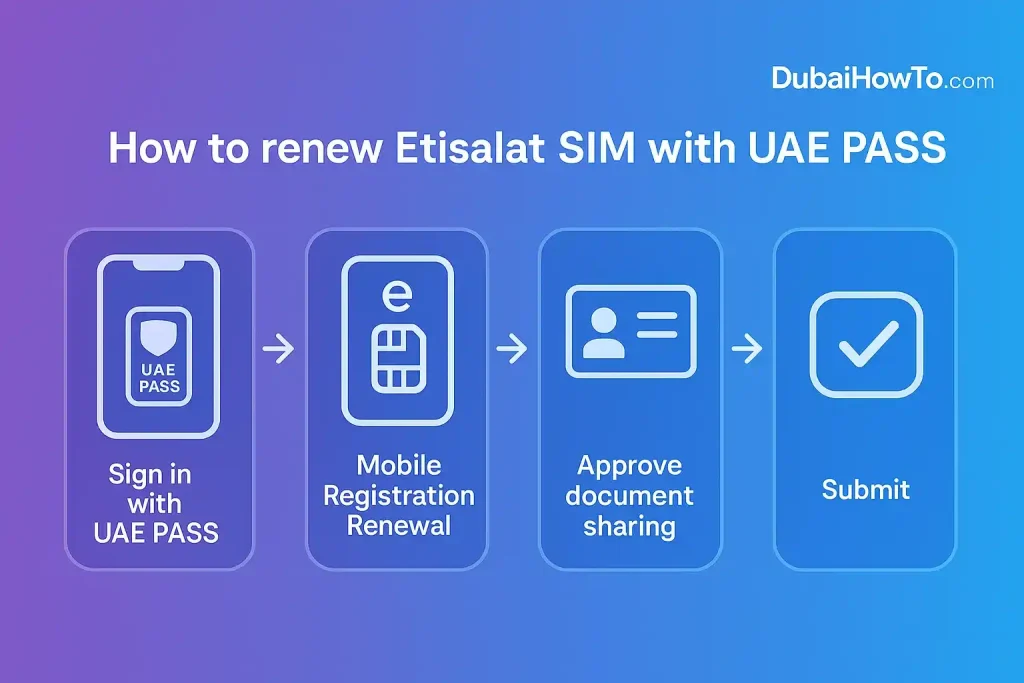
Renew your Etisalat SIM registration in minutes: sign in with UAE PASS, choose Mobile Registration Renewal, approve Emirates ID document-sharing, and submit. Do it on the e& UAE app or at etisalat.ae. You’ll get an SMS/Request ID to track progress and avoid suspension or disconnection.
Do this next — Quick start (Etisalat SIM renewal)
- Verify UAE PASS with your valid Emirates ID.
- Open e& UAE app / etisalat.ae → Sign in with UAE PASS → Quick Access → “Mobile Registration Renewal.”
- Select numbers → Approve “Secure Document Sharing” in UAE PASS → Review & submit.
What you’ll need before renewing?
Verified UAE PASS
Create/verify a UAE PASS and make sure you can log in easily (biometrics or OTP).
Emirates ID added to UAE PASS
Add your renewed Emirates ID under “Documents” in UAE PASS; this is what the system reads during renewal.
Access to your e& account
You can log in with OTP or UAE PASS (UAE PASS is the fastest path for renewal).
Methods to renew Etisalat sim in UAE (pick one)
Method 1 — e& UAE app (fastest)
Step 1. Open the e& UAE app → Sign in with UAE PASS.
Step 2. Go to Quick Access → Mobile Registration Renewal.
Step 3. Select the mobile numbers you want to renew.
Step 4. When prompted, switch to UAE PASS and Approve secure document sharing (Emirates ID).
Step 5. Return to the app, review details → agree to T&Cs → Submit. You’ll receive an SMS + Request ID.
Method 2 — Website (etisalat.ae)
Step 1. Sign in with UAE PASS.
Step 2. On your dashboard, open Mobile Registration Renewal (under Quick Access / My Account).
Step 3. Select the accounts to renew → approve document sharing in UAE PASS → submit to get your Request ID.
Method 3 — Store or payment machine
Step 1. Take your original Emirates ID.
Step 2. Ask for Mobile Registration Renewal.
Step 3. Complete the ID validation as instructed and collect the confirmation.
Documents & eligibility (individuals and organisations)
Required documents (at a glance)
(Carry originals where applicable.)
| Registrant type | Required document(s) |
|---|---|
| UAE nationals | Original, valid Emirates ID |
| GCC nationals | Original, valid Emirates ID OR valid GCC ID OR valid GCC passport |
| UAE residents | Original, valid Emirates ID |
| People of Determination | People of Determination card + Emirates ID |
| Government entities | Government Decree/Establishment Card, Emirates ID + passport page of authorised person |
| Business entities | Trade licence, Emirates ID + passport page of authorised signatory |
Tip: Corporate renewals can also be completed via Business Online Portal (sign in with UAE PASS, update Party ID documents).
Status tracking, confirmations & timeline
How to check progress
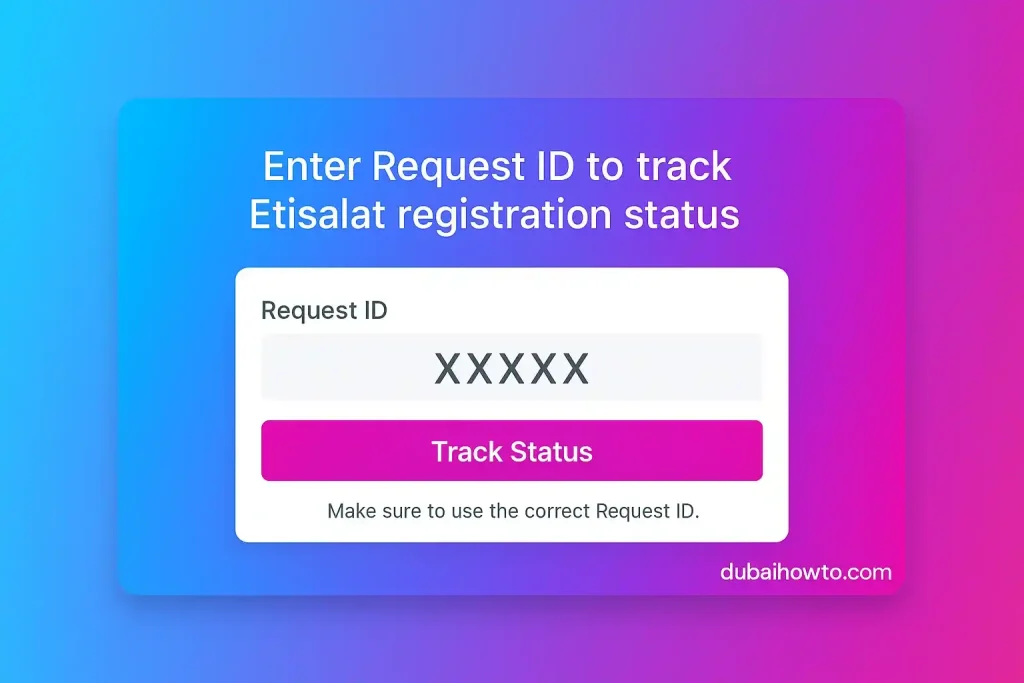
- Request ID: Use the Check Request Status page (enter the online Request ID).
- Self-service: Dial *101# or call 125 to check your mobile registration status.
- SMS: You’ll receive confirmation SMS once validation completes.
How long it takes
Most renewals complete within minutes to a few hours after you approve document sharing. If it’s still pending after a business day, re-open the request and re-approve document sharing in UAE PASS, then try again.
Suspension, grace, and disconnection (what happens if you skip renewal)
TDRA mandate in plain language
Keeping your Emirates ID valid and synced with your number is mandatory. If you miss renewal, one grace period applies; after that, service is suspended, and prolonged inaction can disconnect your line.
Recovering a suspended line
- Act fast: Complete the renewal steps above.
- If disconnected: Visit an e& store with your Emirates ID; recovery may depend on number retention policies.
Fix common errors fast
“Document sharing pending” in UAE PASS
Open UAE PASS → Documents → Emirates ID → enable ‘Secure Document Sharing’. Re-submit the renewal.
Emirates ID expired / name mismatch
Renew/update your Emirates ID details first; then retry renewal with the updated document in UAE PASS.
Multiple numbers on one ID
Select all numbers you intend to keep. Unselected numbers may be treated as unregistered and eventually deactivated.
Corporate line shows “docs expired”
Use Business Online Portal: renew Trade Licence/Establishment Card, verify authorised person’s Emirates ID/passport page, and submit.
Register vs renew (and eSIM notes)
First-time registration vs renewal
- Registration links your number to a valid ID for the first time.
- Renewal re-validates the same relationship after your ID is renewed or nearing expiry.
eSIM after renewal
Your eSIM stays active. If you change devices, request a new QR at an e& store or via approved channels and re-activate.
Fees & availability
- Online renewal via app/website: no additional fee stated by e&.
- Availability: 24/7 online; retail timing depends on store hours.
Pro Tip
Before you start, open UAE PASS → Profile → Documents and make sure your Emirates ID appears and “Secure document sharing” is enabled. Most pending/failed renewals trace back to this single toggle.
Final thoughts
How to renew Etisalat SIM is straightforward when your UAE PASS and Emirates ID are ready. Use the app or website, select your numbers, approve document sharing, and submit. Keep an eye on your Request ID/SMS, and handle corporate renewals through the Business Online Portal for a smoother, audit-friendly trail.
FAQs on Etisalat sim renewal UAE
1) How do I know my Etisalat SIM is fully renewed?
You’ll get an SMS and you can confirm through the Request ID status page. You can also dial *101# or call 125 to verify that your registration is up to date.
2) Can I renew multiple numbers linked to my Emirates ID at once?
Yes. On the renewal screen, select each number you want to keep. Any numbers you don’t select may later be treated as unregistered and could be deactivated.
3) What if my Emirates ID has just been renewed?
Add the new ID inside UAE PASS → Documents first. Then do the Mobile Registration Renewal so e& can read the updated ID via secure document sharing.
4) I’m a business customer—what’s different?
Use the Business Online Portal: sign in with UAE PASS, open your Party ID, then upload the Trade Licence/Establishment Card and confirm the authorised person’s Emirates ID/passport page before submitting.
5) Will my SIM stop working if I ignore renewal?
Yes, after a grace period your line can be suspended and later disconnected. Renew promptly to avoid interruptions.
Not legal advice. Processes, fees, and processing times may change.
Last updated: October 2026
Reviewed by: DubaiHowTo Editorial Desk
This guide is part of our Etisalat UAE Guide.
More guides you may need

Author: The DubaiHowto Editorial Team
DubaiHowto is an independent informational platform created to help UAE residents and visitors understand everyday services such as public transport, telecom, government procedures, visas, fines, and utility systems.
Our editorial team researches and verifies content using official UAE sources (including government portals, service providers, and regulatory authorities) and real on-ground experience of living in the UAE. Each guide is written to be practical, easy to understand, and regularly updated to reflect the latest rules, fees, and procedures.
We focus on clarity, accuracy, and usefulness — especially for people navigating UAE systems for the first time. Learn More about DubaiHowto.
Last reviewed: February 2026. Sources: Official UAE portals and service providers