
MRN Number stands for Medical Record Number. It is a permanent, unique digital identifier assigned to every patient in the UAE (citizens, residents, and tourists) when they first access healthcare services. Unlike your Emirates ID, which tracks civil status, the MRN is strictly for medical history, allowing doctors across Dubai (DHA) and Abu Dhabi (DoH) to access your centralized records, prescriptions, and lab results instantly.
Quick Actions:
If you need your MRN immediately for an appointment or insurance approval:
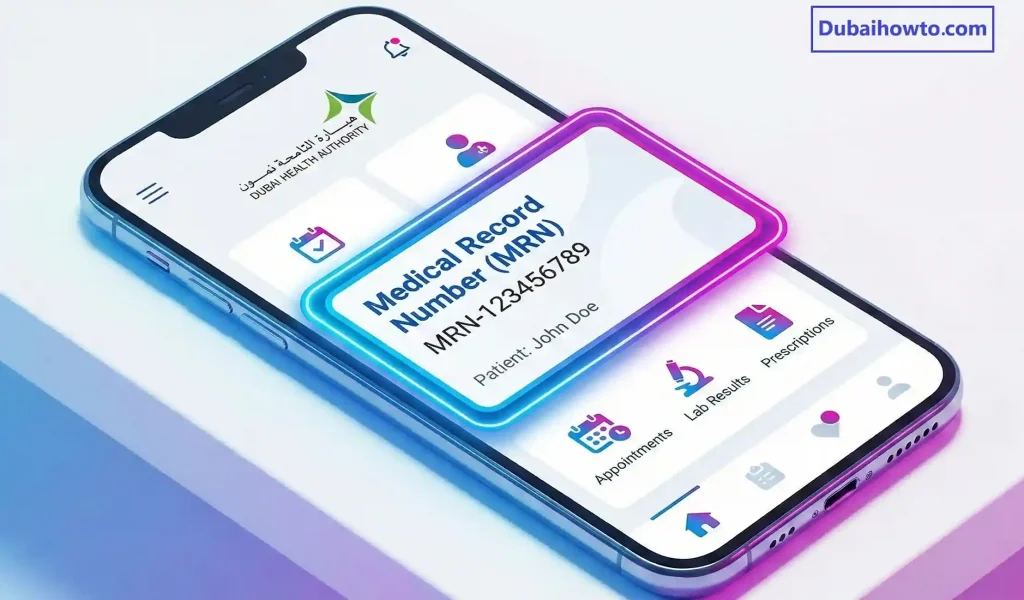
- Dubai Residents: Download the DHA App and log in with UAE Pass; your MRN appears on the digital card on the home screen.
- Abu Dhabi Residents: Log in to the TAMM or SEHA app; it is often listed under “My File.”
- First-Timers: If you have never visited a government clinic, you likely do not have one yet. It will be auto-generated at your first hospital registration counter.
Why Do You Need an MRN?
The UAE uses the MRN to modernize healthcare through systems like Nabidh (in Dubai) and Malaffi (in Abu Dhabi). These systems link your health data so you don’t have to carry physical files between clinics.
- Unified History: It links your blood tests, X-rays, and allergies to one number. A doctor in a private clinic can see results from a public hospital you visited two years ago.
- Insurance Approvals: Insurance companies use the MRN to validate coverage and process claims faster.
- Emergency Access: In critical situations, paramedics can pull up your blood type and chronic conditions using this number.
How to Get an MRN Number in the UAE?
There are two primary ways to generate an MRN: automatically during a visit or digitally via government apps.
Method 1: Automatic Registration (In-Person)
This is the most common method for first-time patients.
Step 1: Visit any government healthcare facility (e.g., Rashid Hospital in Dubai or Sheikh Khalifa Medical City in Abu Dhabi).
Step 2: Present your Emirates ID (or Passport/Visa copy for tourists) at the registration desk.
Step 3: The reception staff will create a file for you. The system automatically generates your permanent MRN.
Step 4: Ask the receptionist to write it down or circle it on your appointment receipt.
Method 2: Online Generation (Dubai Only via DHA)
If you live in Dubai and want to generate an MRN without visiting a hospital, you can do it via the app.
Step 1: Download the “DHA App” (Dubai Health Authority) from the “App Store” or “Google Play.”
Step 2: Select “Login with UAE Pass.” This will automatically pull your verifiable data (EID, mobile, email).
Step 3: Once logged in, if you don’t have an MRN, the app may prompt you to “Create Medical Record.”
Step 4: Follow the prompts. The system will assign you an MRN instantly, which will appear on your digital health card within the app.
Note: If the app sends an OTP to an old mobile number you no longer use, you must update your mobile number linked to your Emirates ID via the ICP/ICA website first.
How to Find Your Existing MRN?
Many residents already have an MRN but have forgotten it. Do not create a new one if you might already have one. Here is how to retrieve it based on your Emirate.
| Method | Dubai (DHA) | Abu Dhabi (DoH / SEHA) |
| Mobile App | Open DHA App. It is displayed on the virtual card on the dashboard. | Open TAMM App or SEHA App. Look under “Medical Profile” or “My File.” |
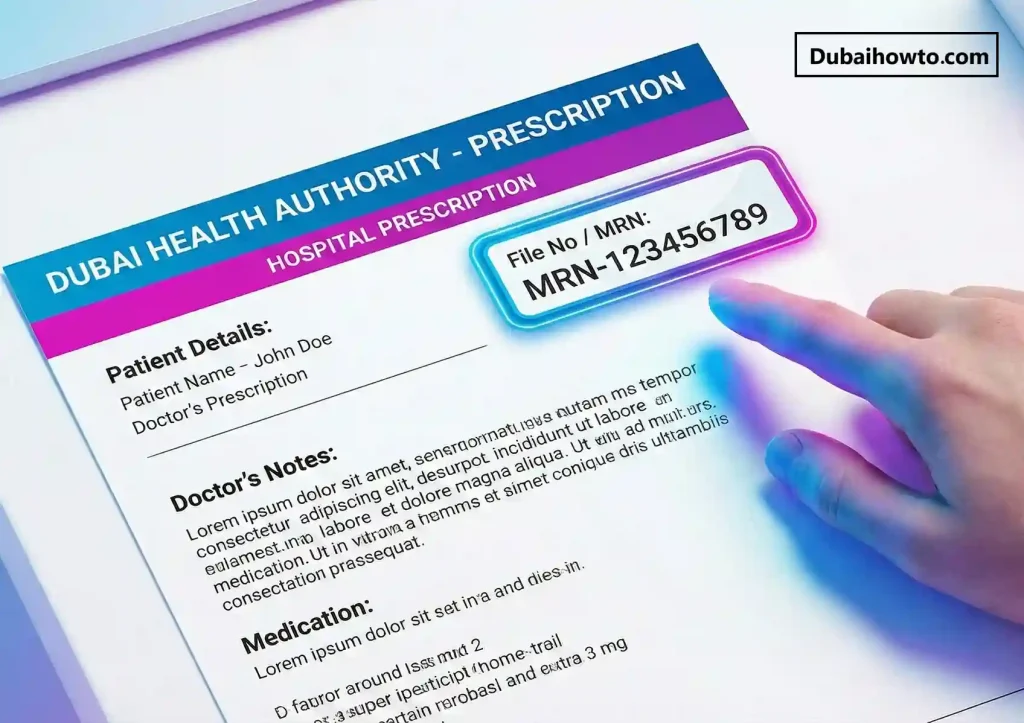
| Documents | Check any old prescription, sick leave certificate, or lab report. Look for labels like “File No” or “Patient ID.” | Check your appointment SMS or printed discharge summary. |
| Phone Support | Call 800 342 (DHA). You will need to answer security questions related to your Emirates ID. | Call 800 50 (SEHA). Have your Emirates ID ready for verification. |
| Online Portal | Visit the DHA e-Services portal and log in with UAE Pass. | Log in to the Malaffi patient portal (if access is granted). |
MRN vs. Emirates ID: What’s the Difference?
It is easy to confuse these two, but they serve very different purposes in the UAE ecosystem.
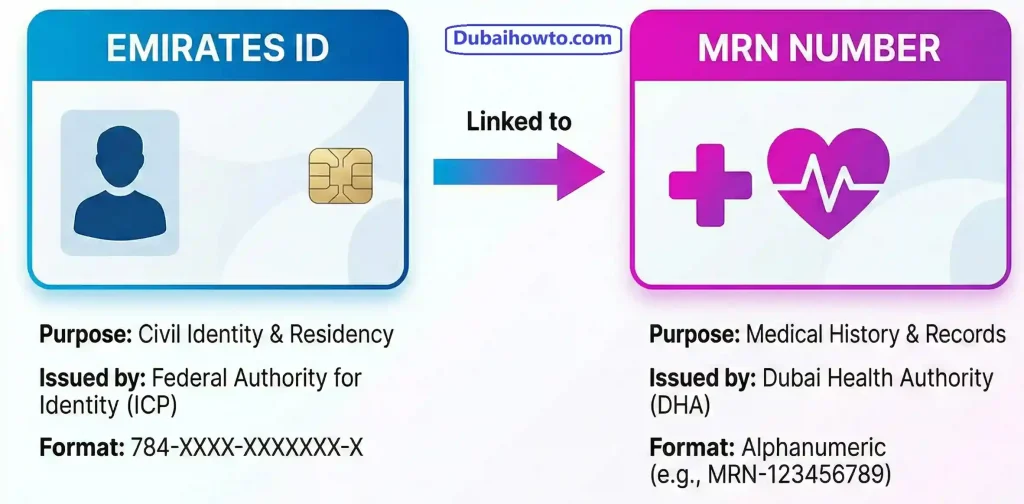
- Emirates ID (784-xxxx…): This is your civil identity. It proves who you are, your residency status, and your nationality. It stays the same even if you change jobs or visas.
- MRN (Medical Record Number): This is your health identity. It proves your medical history. It is linked to your Emirates ID, but it is a separate number used strictly by hospitals and insurance providers.
Troubleshooting Common Issues
Issue 1: I have multiple MRN numbers.
This happens if you visited different hospitals that created new files instead of looking up your old one. This is dangerous as your medical history becomes fragmented.
- Solution: Call the health authority (800 342 for Dubai). Request an “MRN Merge.” They will combine your records into a single primary number so no history is lost.
Issue 2: “Registered mobile number is not valid.”
When trying to generate an MRN on the DHA app, you might get an error saying your phone number doesn’t match.
- Solution: The DHA system pulls data from the Federal Authority for Identity (ICP). If you changed your SIM card recently, the ICP system might still have your old number (or your company PRO’s number). You must update your mobile number on the ICP Smart Services website first.
Pro Tip
If the DHA app is glitching, try downloading the DubaiNow app. Log in with UAE Pass and search for “Health.” You can often view your MRN details there more reliably than on the native health apps during maintenance periods.
Final Thoughts
Your MRN number is as critical as your insurance card. It ensures that if you walk into an emergency room in Dubai today, the doctors know exactly what medication you were prescribed in Abu Dhabi last year. We recommend taking a screenshot of your digital health card on the DHA or TAMM app and saving it to your phone’s “Favorites” folder for quick access.
Frequently Asked Questions
Does the MRN number expire?
No, your MRN is valid for life. Even if you leave the UAE and return years later, your previous medical history will still be linked to that number (provided you use the same passport or Emirates ID).
Is the MRN number the same as the insurance policy number?
No. Your insurance policy number changes whenever you switch insurance companies or renew your plan. Your MRN remains constant regardless of which insurance provider you use.
Can tourists get an MRN number?
Yes. If a tourist visits a government hospital for an emergency or consultation, an MRN will be generated for them using their passport number and visa details instead of an Emirates ID.
How much does it cost to get an MRN?
Generating an MRN is free of charge. However, if you are visiting a doctor to get it generated, you will still have to pay the standard consultation fees associated with that medical visit.
Can I use my Dubai MRN in Abu Dhabi?
Currently, while systems are integrating via the “Riayati” platform, you may still be assigned a separate file number in Abu Dhabi (SEHA) vs. Dubai (DHA). However, federal initiatives are working toward a single Unified Medical Record (UMR) for the entire country.
Last Updated: October 2026
Reviewed by: DubaiHowTo Editorial Desk
Disclaimer: This guide is for informational purposes only. Procedures for DHA and DoH apps may change due to software updates. Always refer to official government channels for the latest legal or medical advice.
This guide is part of our UAE Visa and Emirates ID Guide.
More guides you may need

Author: The DubaiHowto Editorial Team
DubaiHowto is an independent informational platform created to help UAE residents and visitors understand everyday services such as public transport, telecom, government procedures, visas, fines, and utility systems.
Our editorial team researches and verifies content using official UAE sources (including government portals, service providers, and regulatory authorities) and real on-ground experience of living in the UAE. Each guide is written to be practical, easy to understand, and regularly updated to reflect the latest rules, fees, and procedures.
We focus on clarity, accuracy, and usefulness — especially for people navigating UAE systems for the first time. Learn More about DubaiHowto.
Last reviewed: February 2026. Sources: Official UAE portals and service providers