
You can recharge Salik online in minutes via the Smart Salik app/website, DubaiNow, RTA Dubai, UAE banking apps (incl. auto-top-up), or recharge cards/e-vouchers. As of 2026, the minimum top-up is AED 50 (per transaction), with instant balance update on most channels.
Do this next for salik recharge
- Install Smart Salik and add a card for one-tap top-ups.
- Set auto-recharge so balance never dips below your threshold.
- Keep one AED 50/100/200 recharge card in your glovebox for backup.
What you need before you top up Salik?
- Salik account number or tag (sticker) number and PIN (shown in your account; retrievable in app/website if forgotten).
- A payment method: bank card, DubaiNow wallet, or recharge card/e-voucher (AED 50/100/200).
Note: Salik accepts AED 50–AED 50,000 per transaction; many channels post instantly. Amounts are commonly in multiples of AED 50.
Method 1 — Smart Salik app (fastest for most users)
Step 1: Sign in
Open Smart Salik (iOS/Android) and sign in. First-time users can create an account and link their vehicle plate/tag.
Step 2: Tap Recharge
From the dashboard, choose Recharge → pick Card payment or Recharge number (if you have a scratch card/e-voucher).
Step 3: Confirm
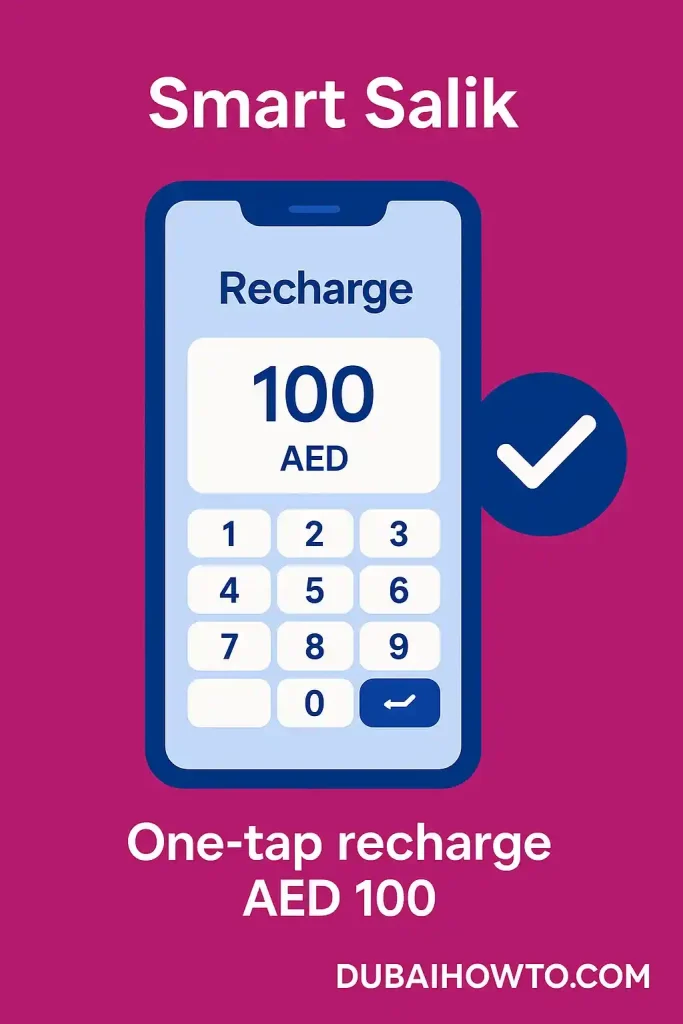
Enter AED amount (≥50) and complete payment. You’ll see the updated balance immediately and a receipt in the app/email.
Method 2 — Salik website (desktop friendly)
Step 1: Log in
Go to salik.ae and log in to your account.
Step 2: Choose Recharge
Select Recharge a Salik account → pick online payment or enter recharge card number.
Step 3: Pay & verify
Enter amount (AED 50+); confirm. A confirmation shows your account number and new balance.
Method 3 — DubaiNow (unified Dubai services)
Step 1: Open DubaiNow
On DubaiNow (Digital Dubai), go to Driving → Salik.
Step 2: Top up
Tap Top up Salik and complete payment using your saved method (supports topping up Salik and Nol in one place).
Method 4 — RTA Dubai app
Step 1: Link your Salik
In RTA Dubai, link your Salik account under Salik Services.
Step 2: Recharge
Select Recharge account, enter amount, and confirm. Balance reflects right away.
Method 5 — Bank apps & auto top-up (set & forget)
Step 1: Recharge from your bank
Most UAE bank apps list Salik under Bills/Payments. Enter your account/tag, choose the amount, and pay.
Step 2: Enable auto-top-up
Several banks offer Salik Auto Top Up—it recharges automatically when balance falls below a threshold (e.g., AED 30; some cards allow AED 20). Common recharge sizes: AED 50/100/200/500. Check your bank’s settings.

Method 6 — Recharge cards & e-vouchers (backup option)
Step 1: Buy a card
Pick up Salik recharge cards at petrol stations/convenience stores (AED 50/100/200).
Step 2: Redeem
Redeem the 12-digit recharge number via Smart Salik, website, SMS 5959, or the 24-hour hotline 800-SALIK (72545); follow voice/SMS prompts with your account/tag.

Quick comparison of salik recharge channels
| Channel | Speed | Min/Max per txn | Extras/Notes |
|---|---|---|---|
| Smart Salik app | Instant | AED 50 to 50,000 | One-tap recharges, statements. |
| Salik website | Instant | AED 50 to 50,000 | Good for desktop & receipts. |
| DubaiNow | Instant | AED 50+ | Manage multiple Dubai services together. |
| RTA Dubai | Instant | AED 50+ | Central hub for transport services. |
| Bank app | Instant | Bank-specific | Auto-top-up when balance < AED 30/20 on select cards. |
| Recharge card/e-voucher | Instant after redeem | AED 50/100/200 | Redeem via app/web/SMS/call. |
Common Salik recharge channels

Costs, limits & posting times
- Minimum recharge: AED 50. Maximum: AED 50,000 per transaction. Many channels accept multiples of AED 50.
- Fees: Salik channels typically don’t add a recharge fee; some banks/wallets may apply service fees—confirm in-app before paying (varies by provider).
- Posting time: App/website/bank/DubaiNow/RTA are generally instant; SMS/hotline redemption posts immediately after confirmation.
Avoid violations while recharging
- Low-balance crossings can trigger a violation if not funded within the grace period; keep auto-top-up on and watch app alerts. (Grace/penalty rules are enforced by Salik/RTA.)
Pro Tip: Set Low-balance alerts at AED 50–100 and enable auto-top-up (e.g., top up AED 100 when balance drops below AED 30/20). This prevents rush-hour surprises and keeps your tag active without manual checks.
Troubleshooting (common cases)
- Payment went through but balance didn’t change: Refresh the app, then check Transactions/Statements; if missing after 5–10 minutes, contact support with payment reference.
- Forgot account/PIN: Use Forgot details on app/website or call 800-SALIK with plate/ID to recover.
- App issues abroad: If the Salik app misbehaves outside UAE, use the website or bank/DubaiNow as a fallback. (Observation based on recent app notes.)
Final thoughts
Salik recharge online is quickest through Smart Salik or DubaiNow, with RTA Dubai and bank apps as robust backups. Configure auto-top-up once, keep a recharge card handy, and you’ll rarely have to think about your toll balance again.
FAQs on Salik recharge Dubai
What’s the minimum Salik recharge amount?
The minimum is AED 50 per transaction; the maximum is AED 50,000. Many channels accept amounts in multiples of 50.
Can I set Salik to auto-recharge?
Yes. Selected UAE banks offer Salik Auto Top Up when your balance falls below a threshold (commonly AED 30; some cards allow AED 20). Choose a recharge size such as AED 50/100/200/500.
Do recharge cards still work?
Yes—AED 50/100/200 cards/e-vouchers remain available at petrol stations and stores. Redeem via app, website, SMS 5959, or 800-SALIK.
Which app is best for topping up—Salik, RTA, or DubaiNow?
For single-purpose speed, use Smart Salik; for a one-app city hub, DubaiNow; for transport-centric tasks, RTA Dubai. All support quick recharges.
Will my balance update instantly?
Yes on most channels (app/website/bank/DubaiNow/RTA). If you redeemed by SMS/IVR, it posts once the confirmation is successful.
Last updated: October 2026
Reviewed by: Transport & Mobility Editor — UAE roads & toll systems

Author: The DubaiHowto Editorial Team
DubaiHowto is an independent informational platform created to help UAE residents and visitors understand everyday services such as public transport, telecom, government procedures, visas, fines, and utility systems.
Our editorial team researches and verifies content using official UAE sources (including government portals, service providers, and regulatory authorities) and real on-ground experience of living in the UAE. Each guide is written to be practical, easy to understand, and regularly updated to reflect the latest rules, fees, and procedures.
We focus on clarity, accuracy, and usefulness — especially for people navigating UAE systems for the first time. Learn More about DubaiHowto.
Last reviewed: February 2026. Sources: Official UAE portals and service providers