
You can check your car insurance in the UAE online using several official portals. The fastest methods include the Emirates Vehicle Gate (EVG) website using your chassis number, the RTA website for Dubai-registered cars, or the Abu Dhabi Police (ADP) portal for Abu Dhabi vehicles.
Quick Actions: Check Your Policy Now
- Find your Vehicle Chassis Number (VIN), listed on your car registration card (Mulkiya).
- Choose your most relevant portal: EVG (Federal), RTA (Dubai), or ADP (Abu Dhabi).
- Log in to your insurer’s app to download a PDF copy of your policy for your records.
Why You Must Check Your Vehicle Insurance Status?
In the UAE, driving without valid third-party insurance is a serious offense. Regularly performing a vehicle insurance status check online is crucial for several reasons.
Avoid hefty fines and black points
If you are caught driving with expired insurance, the penalty is severe. As of 2026, this includes an AED 500 fine, four black points on your license, and seven days of vehicle impoundment.
Ensure continuous legal coverage
Vehicle insurance is mandatory under federal law. Verifying your policy status ensures you are legally compliant and protected in the event of an accident.
Prepare for timely renewal
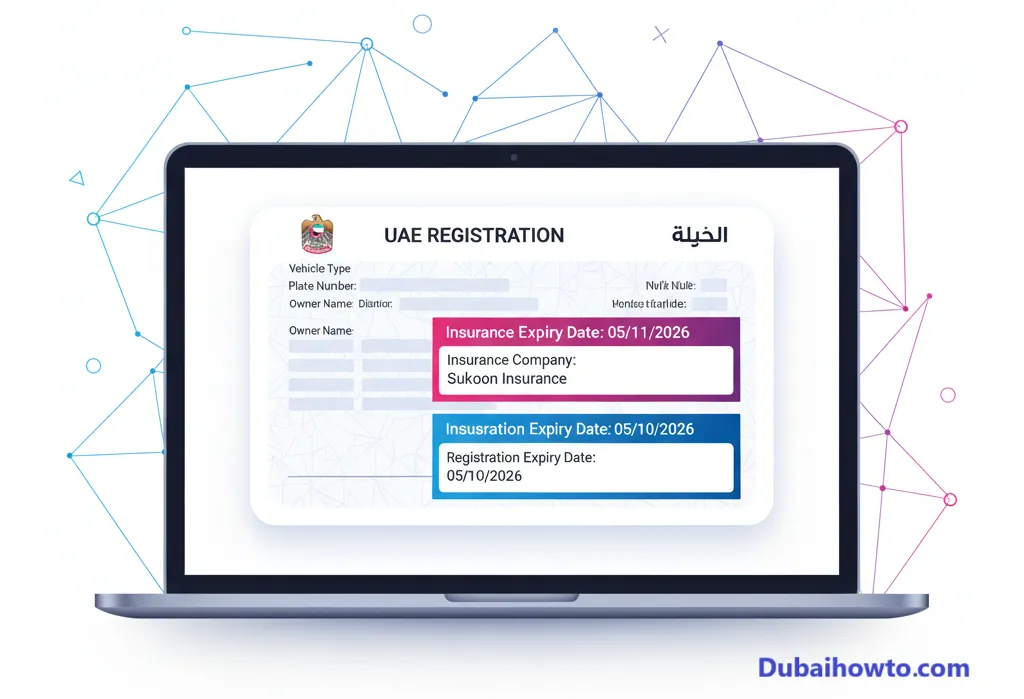
Your car registration (Mulkiya) is valid for 12 months, but insurance policies are issued for 13 months. This extra month covers the grace period for registration renewal. Knowing your expiry date prevents any accidental lapse in coverage.
Verify policy details after purchase
After buying a new policy, it is wise to check the official portals after 24-48 hours. This confirms that the insurance provider has correctly uploaded your policy into the federal system and that all details, like your chassis number, are accurate.
How to Check Car Insurance in UAE Online (4 Main Methods)
You don’t need to call your provider or search through emails. The most reliable methods use official government portals, which are linked directly to the unified traffic system.
Method 1: Using the Emirates Vehicle Gate (EVG)
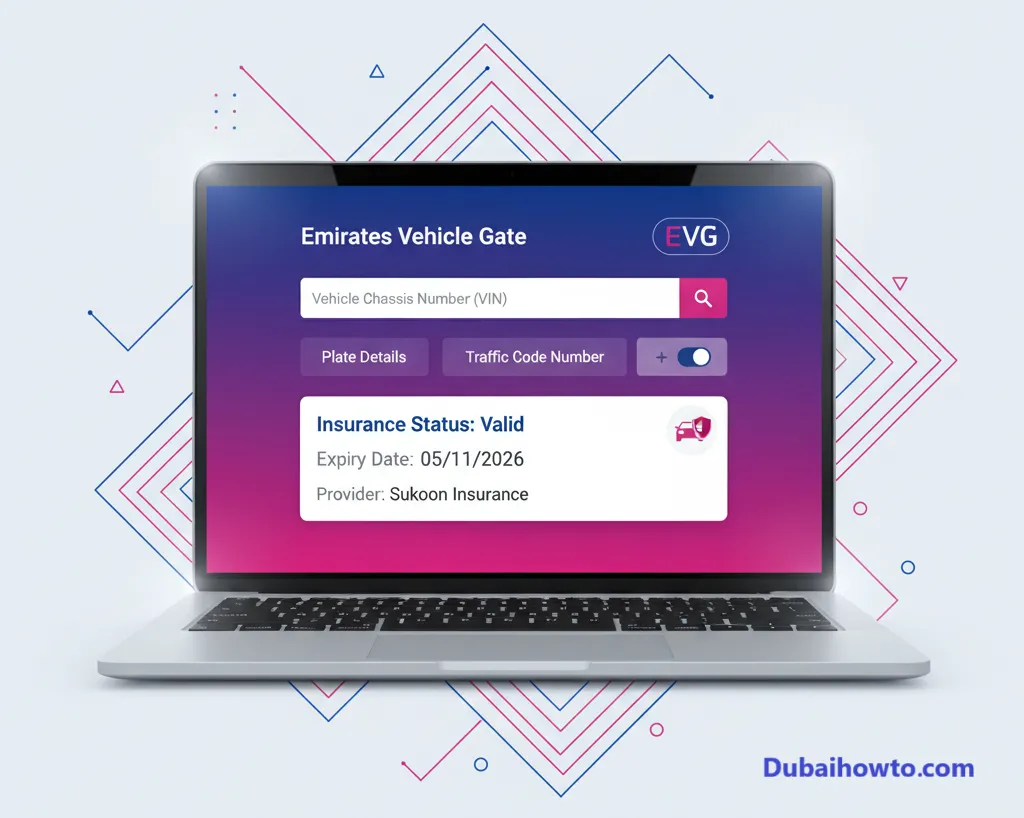
This is the most comprehensive federal method and works for vehicles registered in any emirate, including Dubai, Abu Dhabi, and Sharjah.
Who should use this method?
This is the best all-in-one method for any car owner in the UAE. It is especially useful if you are unsure which portal to use or if you own vehicles registered in different emirates.
Step-by-step guide to check on EVG
Step 1: Navigate to the official Emirates Vehicle Gate (EVG) website.
Step 2: Look for the service to inquire about vehicle insurance or traffic services.
Step 3: You can typically search using one of three identifiers: Plate Details (Emirate, Code, Number), Chassis Number (VIN), or Traffic Code Number (TCN).
Step 4: Enter the required information and any security captcha.
Step 5: The system will display your vehicle’s details, including the registered insurance provider and the exact policy expiry date.
Method 2: RTA Insurance Check (For Dubai Vehicles)
For vehicles registered in Dubai, the Roads and Transport Authority (RTA) website is the most direct source of information.
Who should use this method?
This method is ideal for individuals and companies with vehicles registered specifically in the Emirate of Dubai.
Step-by-step guide to check on RTA
Step 1: Visit the official RTA Dubai website.
Step 2: Navigate to the “Drivers & Vehicles” section.
Step 3: Find the “Check Vehicle Expiry” service.
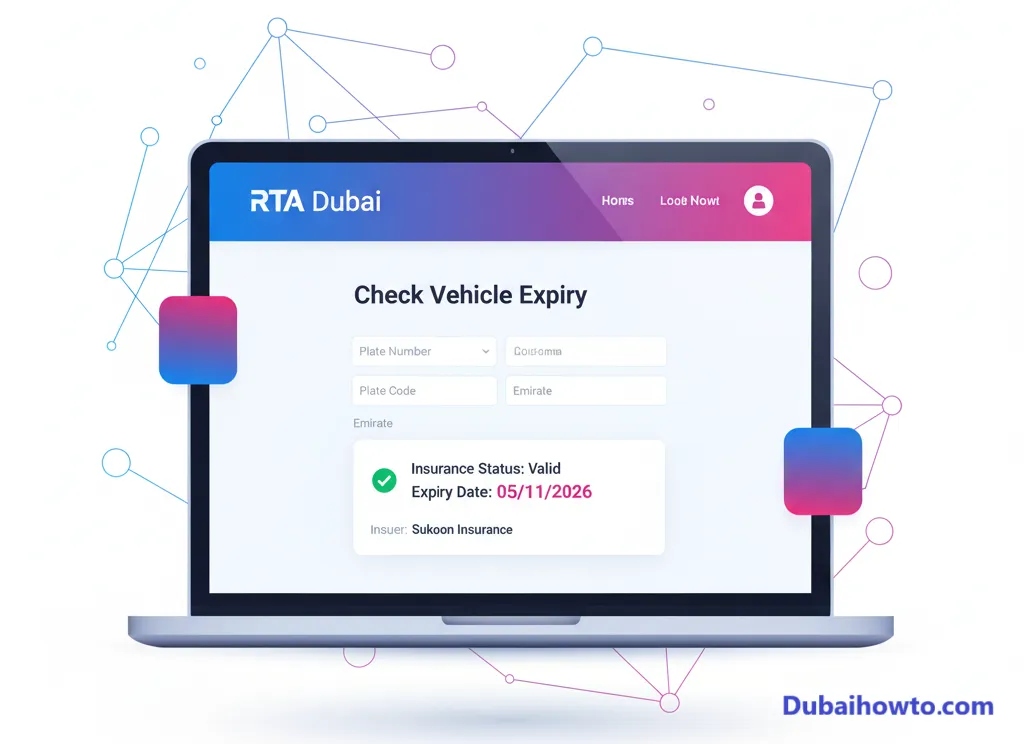
Step 4: Enter your vehicle’s plate number details (Plate, Code, and Emirate).
Step 5: The results page will show your vehicle’s registration (Mulkiya) expiry date and, separately, your insurance expiry date and provider name.
Method 3: Using the Abu Dhabi Police (ADP) Portal
If your vehicle is registered in Abu Dhabi, the ADP portal or mobile app is the most accurate way to check your vehicle insurance status online.
Who should use this method?
This is the primary method for any vehicle registered with Abu Dhabi plates.
Step-by-step guide to check on ADP
Step 1: Go to the Abu Dhabi Police (ADP) website or download the ADP mobile app.
Step 2: Log in using your UAE Pass or create an account if you don’t have one.
Step 3: Navigate to “Traffic Services” or “Vehicle Services” within your dashboard.
Step 4: Select the option to inquire about your registered vehicles.
Step 5: Click on your specific vehicle to view its detailed information, which will clearly list the insurance provider and the policy’s validity period.
Method 4: Checking Directly with Your Insurance Provider
While government portals are best for verification, your provider’s portal is best for managing your policy.
The direct approach
Almost all major insurance companies in the UAE (e.g., Sukoon, AXA, Oman Insurance) have customer portals or mobile apps.
How this works
Log in to your account using your policy number or Emirates ID. Your dashboard will not only show the expiry date but also allow you to download your policy certificate, review coverage details, and start the renewal process. They will also send email and SMS reminders, but it is always safer to proactively check yourself.
Pro Tip: Always save a PDF copy of your insurance certificate on your phone. In case of an accident, you will need the policy number immediately. Do not rely solely on portal access, which may be unavailable without an internet connection.
Understanding Your Insurance Policy and Penalties
Knowing your status is only half the battle. You also need to understand what the dates mean and the consequences of a lapse.
The 13-month policy rule explained
When you renew your car registration (Mulkiya), it is valid for 12 months. However, the RTA requires that your insurance policy be valid for 13 months.
This extra month is not a “free month” of driving. It is a grace period provided by the RTA to complete your renewal and vehicle testing after your 12-month registration expires. Driving during this grace period is only legal if your 13-month insurance policy is still active.
Penalties for insurance violations (as of 2026)
The UAE’s traffic laws are federal, meaning these penalties generally apply across all emirates.
| Offence | Fine (AED) | Black Points | Additional Penalties |
| Driving with expired insurance | 500 | 4 | Vehicle impoundment for 7 days |
| Driving with expired registration (Mulkiya) | 500 | 4 | Vehicle impoundment (if expired over 3 months) |
Disclaimer: Fees and penalties are subject to change. Always refer to official government portals for the most current information.
Final Thoughts
Checking your car insurance in the UAE is a simple, free, and essential task that takes only a few minutes online. Using the Emirates Vehicle Gate (EVG) or your specific emirate’s portal (like RTA or ADP) provides an instant and accurate status.
Make it a habit to check your policy status a few weeks before your renewal date to ensure you have ample time to compare quotes and avoid the stress and severe penalties of an unexpected policy lapse.
Frequently Asked Questions (FAQs)
1. How can I check my car insurance status with my chassis number?
The best way to check using your chassis number (VIN) is through the Emirates Vehicle Gate (EVG) portal. This federal website allows you to inquire about any UAE-registered vehicle using the chassis number, which is listed on your registration card (Mulkiya).
2. Is my car insurance valid in all emirates?
Yes. A valid car insurance policy issued by a licensed provider in one emirate (e.g., Dubai) provides coverage across all seven emirates of the UAE.
3. What is the fine for expired car insurance in Dubai?
The fine for driving with insurance in Dubai is AED 500, four black points, and your vehicle will be impounded for seven days. This is enforced by the RTA and Dubai Police.
4. Can I check my insurance status using the MOI UAE app?
Yes. The Ministry of Interior (MOI) UAE app is another excellent federal tool. After logging in (often with UAE Pass), you can navigate to your vehicle details, which will show the status and expiry date of both your registration and your insurance policy.
- Last updated: October 2026
- Reviewed by: Adnan Al-Shamsi, UAE Traffic Law & Insurance Advisor

Author: The DubaiHowto Editorial Team
DubaiHowto is an independent informational platform created to help UAE residents and visitors understand everyday services such as public transport, telecom, government procedures, visas, fines, and utility systems.
Our editorial team researches and verifies content using official UAE sources (including government portals, service providers, and regulatory authorities) and real on-ground experience of living in the UAE. Each guide is written to be practical, easy to understand, and regularly updated to reflect the latest rules, fees, and procedures.
We focus on clarity, accuracy, and usefulness — especially for people navigating UAE systems for the first time. Learn More about DubaiHowto.
Last reviewed: February 2026. Sources: Official UAE portals and service providers