
To check your Emirates ID status, visit the Federal Authority for Identity, Citizenship, Customs & Port Security (ICP) website and enter your Request Number (PRAN) or Emirates ID number. The system provides real-time updates on whether your card is under processing, printed, dispatched, or ready for collection at Emirates Post.
Quick Actions: Track It Now
- Locate your PRAN: Find the 21-digit number on your typing center receipt.
- Visit the ICP Portal: Go to the “File Validity” or “ID Card Status” tab on the official site.
- Download UAEICP: Get the app to access your digital ID immediately if your status is “Approved.”
How to Check Emirates ID Status? (Step-by-Step)
The Federal Authority for Identity, Citizenship, Customs & Port Security (ICP) provides three reliable ways to track your application. Choose the method that suits you best below.
Method 1: Using the ICP Smart Services Website
This is the most direct method for checking your Emirates ID status without downloading additional software.
Step 1: Go to the official “ICP Smart Services portal (icp.gov.ae)“.
Step 2: Click on the “Priority Services” tab or look for “ID Card Status” in the menu.
Step 3: Enter your PRAN (Application Number) or your existing Emirates ID Number (for renewals).
Step 4: Solve the captcha verification if prompted.
Step 5: Click “Search” or the arrow icon to reveal your current application stage.

Method 2: Using the UAEICP Mobile App
For residents on the go, the official app offers detailed tracking and access to a digital version of your ID.
Step 1: Download the UAEICP app from the “Apple App Store” or “Google Play Store.“
Step 2: Log in using your UAE Pass credentials for secure access.
Step 3: Tap on the “Check Application Status” icon on the bottom dashboard.
Step 4: Select your active application from the list or enter your Request Number manually.
Step 5: View the visual timeline to see if the card is “Printed” or “Dispatched.”
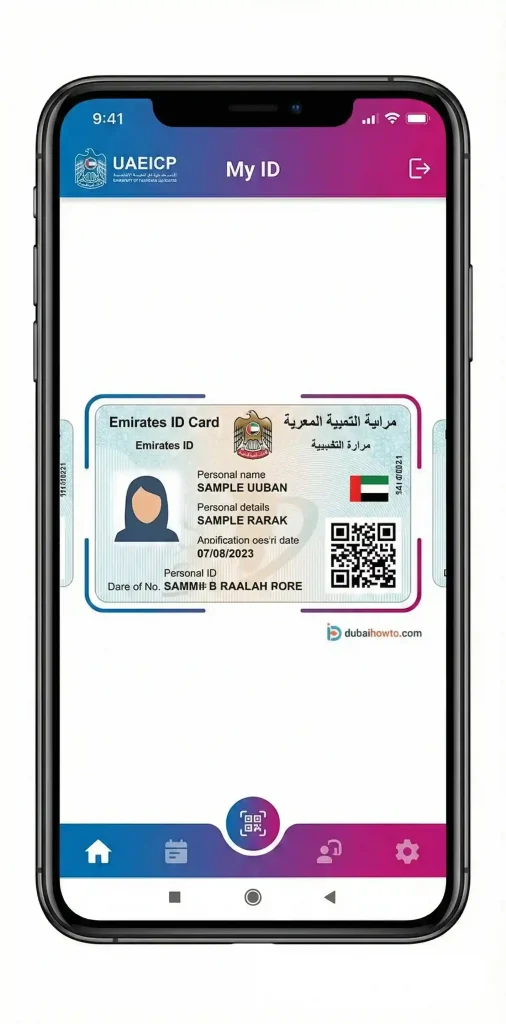
Method 3: Checking via Phone Call
If you lack internet access or face technical errors, you can verify your status through the official helpline.
Step 1: Dial 600 522222 to reach the ICP Call Centre.
Step 2: Select your preferred language (English or Arabic).
Step 3: Choose the option for “Application Status Inquiries.”
Step 4: Provide the agent or automated system with your PRAN number.
Step 5: Note down the status update provided by the representative.
Understanding Your Application Status
When you perform an id card status checking query, you will see specific terminologies. The table below explains what each stage means and what action you should take.
| Status Message | Meaning | Action Required |
| Application Created | The form is filled but payment or submission is pending. | Complete the payment to proceed. |
| Application Sent for Audit | ICP is reviewing your documents and biometrics. | Wait 2–4 working days. |
| Application Returned | There is an error, missing document, or unclear photo. | Contact your typing center to fix the error. |
| Approved / Print in Progress | Your application is successful; the card is being manufactured. | You can now use the Digital ID. |
| Card Printed | The physical card is ready and moving to dispatch. | Wait for the SMS from Emirates Post. |
| Card Dispatched | The card is with the courier service. | Track the delivery via Emirates Post. |
Pro Tip: If your status says “Application Returned,” do not ignore it. You usually have a limited window (often 30 days) to correct the error before the application is cancelled and fees are forfeited.
Timelines and Delivery Fees
Processing times vary based on the type of service you selected during the application.
Standard vs. Urgent Service (Fawri)
Most applicants use the standard track, but the ‘Fawri’ service is available for urgent needs.
- Standard Service: Takes 5 to 10 working days from the date of biometric submission.
- Fawri (Urgent) Service: The card is issued within 24 hours.
- Eligibility: UAE Nationals and GCC Nationals (for all services); Expatriates (for replacement of lost/damaged cards only).
- Extra Fee: Approximately AED 150 on top of standard fees.
Delivery Through Emirates Post
Once the Emirates ID status changes to “Dispatched,” ICP hands the card over to Emirates Post.
- Notification: You will receive an SMS on your registered mobile number.
- Collection: The SMS will specify which post office branch holds your card.
- Home Delivery: You may opt for courier delivery to your door for a fee (approx. AED 30–40), payable via the Emirates Post link sent to you.
Where to Find Your PRAN Number?
You cannot perform a status check without the correct reference number.
- On the Receipt: Look for the Application Number (PRAN) at the top of the receipt provided by the typing center or Amer center. It usually starts with
800. - Via SMS: ICP sends a confirmation text immediately after you submit your application containing the PRAN.
- For Renewals: You do not strictly need the PRAN; you can simply use your existing Emirates ID number (784-XXXX-XXXXXXX-X) to track the renewal progress.

Final Thoughts
Regularly performing an Emirates ID status check ensures you are not caught off guard by returned applications or missing documents. While waiting for the physical card, remember that the digital version on the UAEICP app is legally valid for most government and banking services in the UAE. If your status remains unchanged for more than 10 days, contact the ICP helpline immediately.
Frequently Asked Questions
How can I check my Emirates ID status with my passport number?
You can check using your passport number on the ICP website. Select “Search by Passport,” enter your passport number, expiry date, and nationality. This is useful if you are a new resident and do not have an ID number yet.
What should I do if my Emirates ID is late?
If the status has not changed for over 10 working days, call ICP on 600 522222. If the status is “Dispatched” but you haven’t received an SMS, contact Emirates Post directly with your application number.
Is the digital Emirates ID valid for travel?
Yes, the digital ID accessible via the UAEICP app is accepted at many service points. However, for international travel through e-gates, it is safer to carry your physical passport until the physical ID card is delivered.
How much does it cost to replace a lost Emirates ID?
Replacing a lost or damaged Emirates ID typically costs AED 300 for the card issuance, plus typing center fees (approx. AED 70) and the urgent service fee if you opt for Fawri.
Can I track my Emirates ID without an application number?
If you are renewing, you can track it using your existing ID number. If it is a new application and you lost the PRAN, you must visit a typing center or call ICP to retrieve your application details.
Last Updated: October 2026
Reviewed by: Dubaihowto Editorial Team (UAE Services Desk)

Author: The DubaiHowto Editorial Team
DubaiHowto is an independent informational platform created to help UAE residents and visitors understand everyday services such as public transport, telecom, government procedures, visas, fines, and utility systems.
Our editorial team researches and verifies content using official UAE sources (including government portals, service providers, and regulatory authorities) and real on-ground experience of living in the UAE. Each guide is written to be practical, easy to understand, and regularly updated to reflect the latest rules, fees, and procedures.
We focus on clarity, accuracy, and usefulness — especially for people navigating UAE systems for the first time. Learn More about DubaiHowto.
Last reviewed: February 2026. Sources: Official UAE portals and service providers