
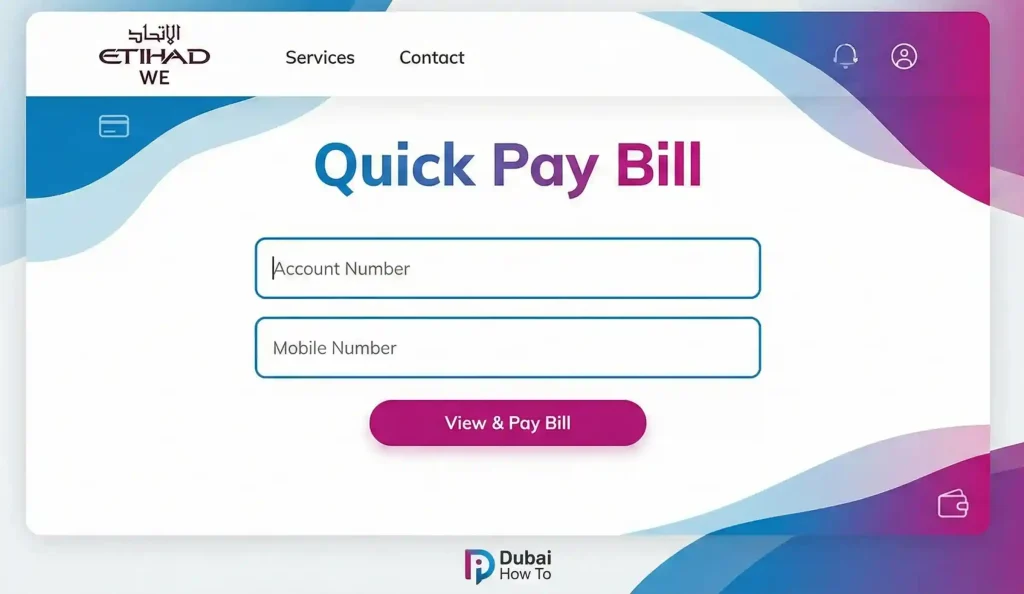
To complete a FEWA bill view and pay online, visit the official Etihad Water and Electricity (Etihad WE) website. Navigate to the “Quick Pay” or “View & Pay Bill” section, enter your Account Number and mobile number, review the outstanding balance, and settle the amount using a valid credit or debit card. No login is required for Quick Pay.
Do this next:
- Locate your Old Bill: Find your 10-digit Account Number (top left corner of previous invoices).
- Check Connection Status: Ensure your service is active before paying reconnection fees.
- Prepare Payment: Have your UAE-issued credit/debit card ready for OTP verification.
The Shift from FEWA to Etihad WE
The Federal Electricity and Water Authority (FEWA) is now officially known as Etihad Water and Electricity (Etihad WE). While the name has changed, the service area remains the same. Etihad WE provides utility services to the Northern Emirates, covering Ajman, Umm Al Quwain, Ras Al Khaimah, and Fujairah.
This guide details the updated 2026 methods for FEWA bill view and payment, ensuring you avoid service interruptions and late fees.
Method 1: Etihad WE Website (Quick Pay)
The most direct method to settle dues is the “Quick Pay” feature on the official portal. This does not require a username or password, making it the fastest option for tenants and property owners.
Step 1: Visit the official “Etihad WE website” on your desktop or mobile browser.
Step 2: Click on the “Services” tab in the main menu and select “View & Pay Bill” from the dropdown options.
Step 3: Select “Quick Pay” if prompted (green button).
Step 4: Enter your Account Number (found on your Green Bill) and your registered Mobile Number or Email.
Step 5: Complete the CAPTCHA verification and click “Search”.
Step 6: Verify the Total Amount Due displayed on the screen.
Step 7: Select your payment method (Credit Card/Debit Card) and click “Pay Now”.
Note: You will be redirected to the payment gateway. Once the transaction is successful, save the digital receipt for your records.
Method 2: Etihad WE Mobile App
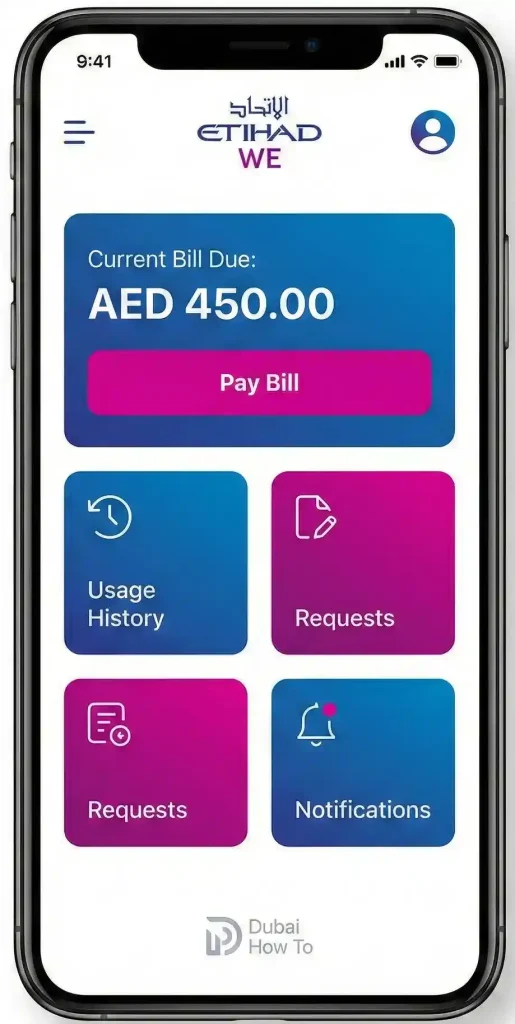
For residents managing multiple properties or preferring mobile access, the official app offers a seamless FEWA bill check experience.
Step 1: Download the Etihad WE app from the Apple App Store, Google Play Store, or Huawei AppGallery.
Step 2: Open the app. You can choose “Login” (using UAE Pass) or select “Guest User” for quick access.
Step 3: Tap on the “Pay Bill” icon on the home dashboard.
Step 4: Input your Account Number carefully.
Step 5: Review your current consumption details and outstanding balance.
Step 6: Tap “Proceed to Payment” and finalize the transaction using your saved card or Apple Pay/Samsung Pay (if supported).
Method 3: Bank & Exchange Channels
If you prefer banking apps or paying in cash, Etihad WE is integrated with most major financial institutions in the UAE.
Online Banking & Apps
Most UAE banks allow you to pay utility bills directly through their mobile apps.
Step 1: Log in to your bank’s mobile app (e.g., ENBD, ADCB, DIB).
Step 2: Navigate to “Payments” or “Utility Bills”.
Step 3: Search for provider “Etihad WE” (formerly FEWA).
Step 4: Enter your Account Number (Consumer ID) to fetch the bill.
Step 5: Confirm the amount and pay.
Approved Banks and Payment Partners
Below is the current list of institutions accepting FEWA bill payments:
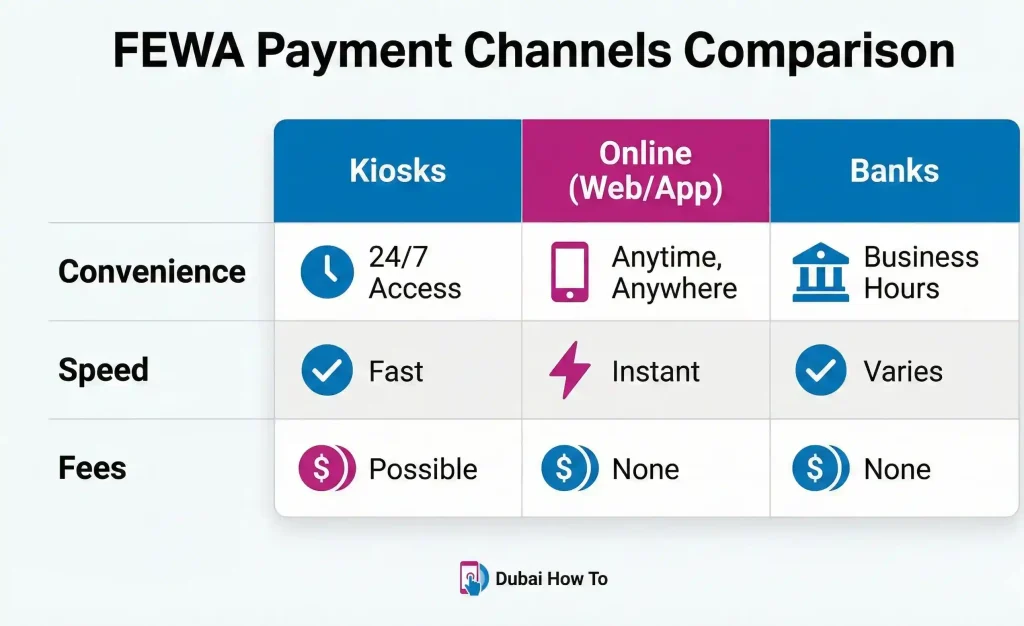
| Payment Channel | Accepted Locations/Apps | Payment Mode |
| Major Banks | Emirates NBD, ADCB, Dubai Islamic Bank, Ajman Bank, FAB, Mashreq, RAKBANK | App / Online / ATM |
| Exchange Houses | Al Ansari Exchange, Al Fardan Exchange, Lulu Exchange | Cash / Card |
| Kiosks | MBME, NT Payments (located in malls/supermarkets) | Cash / Card |
| Government | Emirates Post Offices | Cash / Card |
Method 4: Kiosk Payment Steps
Kiosks are available 24/7 in most malls and gas stations across the Northern Emirates.
Step 1: Locate an MBME or NT Payments kiosk.
Step 2: Select “Etihad WE” from the utility services menu.
Step 3: Type in your Account Number.
Step 4: Insert cash or use your card to settle the displayed amount.
Step 5: Collect the printed receipt immediately.
Understanding Service Fees & Penalties
While the FEWA bill view and pay online service is free, failing to pay on time can result in penalties. It is vital to understand the cost implications for 2026.
- Disconnection Fee: If the bill remains unpaid past the grace period, service may be disconnected. A disconnection fee of AED 100 is typically applied.
- Reconnection Fee: To restore service, you must pay the full outstanding balance plus a reconnection fee.
- Knowledge Fees: Government transactions often incur a nominal Knowledge Fee (approx. AED 10–20) depending on the channel used.
How to Read Your Green Bill?
Etihad WE issues a “Green Bill” (electronic invoice) sent to your email. Understanding the layout helps you avoid overpayment.
- Account Number: Your unique 10-digit identifier. This is the most critical number for FEWA quick pay.
- Premise ID: Identifies the specific location of the meter (useful for landlords with multiple units).
- Electricity vs. Water: The bill splits consumption. Electricity is charged in kWh, and Water in Imperial Gallons.
- Fuel Surcharge: A variable cost that changes based on global fuel prices, added to your consumption.
Pro Tip: Always register your email address with Etihad WE. If you only rely on SMS, you might miss detailed consumption breakdowns. Go to the “Update Profile” section on the website to ensure your Green Bill reaches your inbox monthly.
Final Thoughts
Managing utilities in the Northern Emirates is straightforward thanks to the digital transformation of Etihad Water and Electricity. Whether you choose the FEWA bill view and pay online portal for speed, the mobile app for convenience, or a local kiosk for cash payments, the process is designed to be user-friendly. We recommend setting up a monthly calendar reminder to check your dues via the Quick Pay link to avoid unexpected disconnections.
FAQs on FEWA Bill View and Pay
How do I check my FEWA bill status online?
Visit the Etihad WE website, select “View & Pay Bill,” and enter your account number. The system will display your current status and any pending dues immediately without logging in.
What is the difference between FEWA and Etihad WE?
There is no difference in service; it is a rebranding. The Federal Electricity and Water Authority (FEWA) changed its corporate identity to Etihad Water and Electricity (Etihad WE) to reflect new strategic goals.
Can I pay my FEWA bill if I am outside the UAE?
Yes. The Etihad WE website and mobile app are accessible globally. As long as you have your account number and a valid credit card, you can settle bills from abroad.
How long does it take to reconnect electricity after payment?
Once you pay the outstanding amount and the reconnection fee, service is typically restored within 24 hours. However, it is best to pay before 12:00 PM for faster processing.
Is there a fine for late FEWA bill payment?
Yes, repeated late payments can incur administrative fines and eventually lead to service disconnection, which requires an additional fee to reverse.
Last Updated: October 2026
Reviewed By: Editorial Team (UAE Utility Desk)

Author: The DubaiHowto Editorial Team
DubaiHowto is an independent informational platform created to help UAE residents and visitors understand everyday services such as public transport, telecom, government procedures, visas, fines, and utility systems.
Our editorial team researches and verifies content using official UAE sources (including government portals, service providers, and regulatory authorities) and real on-ground experience of living in the UAE. Each guide is written to be practical, easy to understand, and regularly updated to reflect the latest rules, fees, and procedures.
We focus on clarity, accuracy, and usefulness — especially for people navigating UAE systems for the first time. Learn More about DubaiHowto.
Last reviewed: February 2026. Sources: Official UAE portals and service providers