
To perform a TRN number check in the UAE, visit the Federal Tax Authority’s (FTA) EmaraTax portal. Navigate to the “Public Services” section and select “TRN Verification.” Enter the 15-digit Tax Registration Number (TRN) and the security code. The system will immediately display the legal entity name and registration status (Active/Suspended) if valid.
Quick Verification Actions
- Locate the Code: Find the 15-digit string on the supplier’s invoice; it must start with “100.”
- Access Portal: Open the EmaraTax portal (eservices.tax.gov.ae) and choose “TRN Verification.”
- Capture Proof: Take a screenshot of the “Active” status result to safeguard your input tax recovery claims.
Why TRN Verification Matters for Your Business?
In the UAE, a Tax Registration Number (TRN) is the unique 15-digit identifier assigned to businesses registered for Value Added Tax (VAT). While the standard VAT rate is 5%, paying this amount to a supplier with an invalid or deregistered TRN is a financial risk. If you pay VAT to a non-compliant entity, you cannot reclaim that amount as input tax from the Federal Tax Authority (FTA).
Verifying the TRN ensures the business is legally authorized to collect tax. Whether you are auditing a new vendor or double-checking an invoice, using the official TRN number check tools effectively shields your business from tax fraud and administrative penalties.
Method 1: Online TRN Check via EmaraTax (Official)
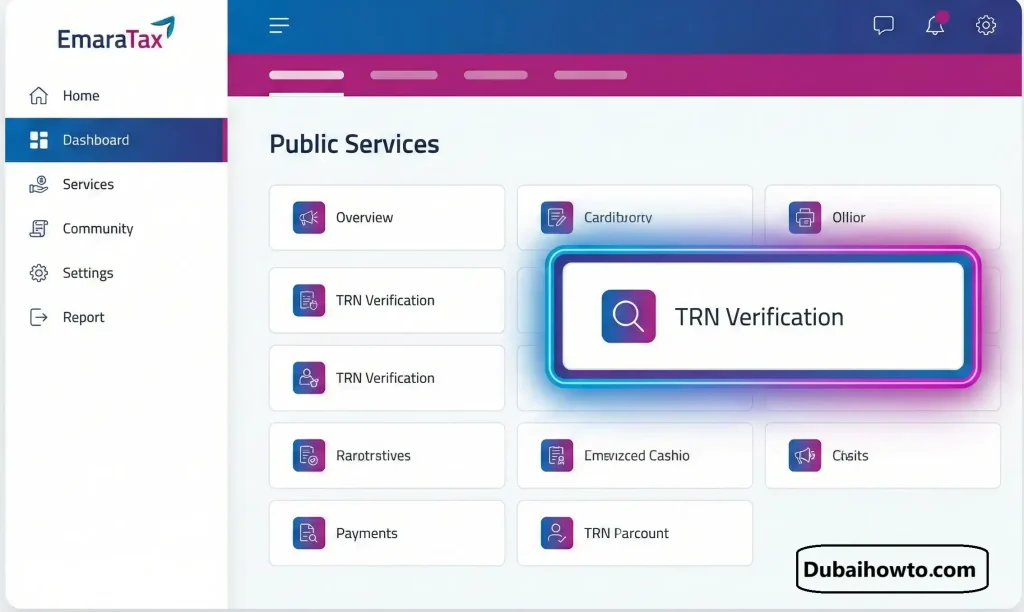
The most reliable method to verify a tax status is through the FTA’s modernized digital platform, EmaraTax. This system replaces older verification pages and provides real-time data.
Step 1: Access the Public Services Section
Visit the official “EmaraTax website“. You do not need to log in or create an account to perform a basic verification. Look for the button or tab labeled “Public Services” or “TRN Verification” on the homepage dashboard.
Step 2: Input the Tax Details
Enter the exact 15-digit TRN provided by your supplier. Ensure there are no spaces or hyphens (e.g., 100123456789000). You will also need to solve a simple Captcha/security code challenge to proceed.
Step 3: Interpret the Results
Click “Search” or “Verify.” The system will generate a result card.
- Valid Result: Displays the Legal Name (English and Arabic) and the status “Registered” or “Active.” Check that the name matches your invoice exactly.
- Invalid Result: Displays “TRN does not exist” or “Suspended.” Do not pay VAT to this entity.
Method 2: Visual Format Validation
Before logging onto the portal, you can perform a quick visual inspection of the tax invoice. A legitimate UAE TRN follows a strict structure that counterfeiters often get wrong.
Step 1: Count the Digits
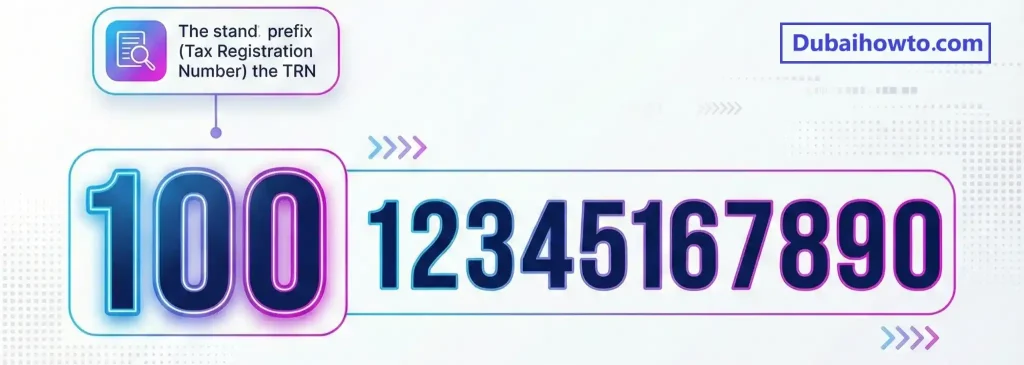
A valid UAE TRN is always exactly 15 digits long. If the number has 14 or 16 digits, it is invalid.
Step 2: Check the Prefix
Currently, all standard VAT TRNs in the UAE start with the sequence “100.” If the number starts with distinctively different digits (like “900” which is often used for other excise or corporate tax contexts, or random numbers), flag it for further investigation.
Step 3: Verify Invoice Placement
Per FTA regulations, the TRN must be clearly displayed on the Tax Invoice, usually near the supplier’s address and legal name. Hand-written TRNs on printed invoices are a red flag.
Penalties for Non-Compliance
Dealing with invalid TRNs can lead to significant fines for both the supplier (for fraud) and the buyer (for claiming invalid invalid input tax). The FTA enforces strict administrative penalties to ensure compliance.
| Violation | Penalty Amount (AED) |
| Charging VAT without registration | 10,000 (First instance) |
| Issuing a Tax Invoice without a TRN | 5,000 (Per invoice) |
| Failure to display prices inclusive of VAT | 15,000 |
| Failure to keep required records | 10,000 (First instance) |
Pro Tip: “Never process a payment for a new vendor without attaching a screenshot of their ‘Active’ TRN status to their vendor profile in your ERP system. This simple step serves as audit evidence that you performed due diligence before reclaiming input VAT.”
Final Thoughts
Performing a TRN number check is a critical control procedure for any business operating in the UAE. It prevents tax leakage, ensures your input VAT claims are valid, and protects your professional reputation. By using the EmaraTax portal and understanding the 15-digit format, you can verify any supplier in seconds. Always prioritize official FTA channels over third-party verification sites to ensure data accuracy and security.
Frequently Asked Questions (FAQs)
Is it mandatory to have a TRN in the UAE?
Yes, it is mandatory for businesses with taxable supplies and imports exceeding AED 375,000 per annum. Businesses with supplies between AED 187,500 and AED 375,000 may register voluntarily to obtain a TRN.
What is the format of a UAE TRN number?
A UAE Tax Registration Number consists strictly of 15 digits. For VAT purposes, the number typically begins with the block “100” followed by 11 random digits and a final check digit.
Can I check a TRN number by company name?
No, the public EmaraTax portal currently requires the specific TRN number to view the company status. You cannot search the database using only a company name to find their tax number due to privacy protocols.
What should I do if a supplier’s TRN is invalid?
If the TRN verification uae tool shows the number is invalid, do not pay the VAT portion of the invoice. Contact the supplier immediately to correct the error. If they persist in charging VAT without a valid TRN, you may report them to the FTA.
Is the TRN verification service free?
Yes, the check TRN number UAE service provided by the Federal Tax Authority on the EmaraTax platform is completely free of charge and available 24/7 to the public.
Last updated: October 2026
Reviewed by: Senior Tax Consultant (ACCA)

Author: The DubaiHowto Editorial Team
DubaiHowto is an independent informational platform created to help UAE residents and visitors understand everyday services such as public transport, telecom, government procedures, visas, fines, and utility systems.
Our editorial team researches and verifies content using official UAE sources (including government portals, service providers, and regulatory authorities) and real on-ground experience of living in the UAE. Each guide is written to be practical, easy to understand, and regularly updated to reflect the latest rules, fees, and procedures.
We focus on clarity, accuracy, and usefulness — especially for people navigating UAE systems for the first time. Learn More about DubaiHowto.
Last reviewed: February 2026. Sources: Official UAE portals and service providers