
You can perform an Emirates ID fine check using official UAE government portals. For residency or ID-related fines, use the ICP (Federal Authority for Identity) website. For traffic violations, use the Dubai Police app (for Dubai), the Abu Dhabi Police website (for Abu Dhabi), or the MOI UAE app (for other emirates).
Check Your Fines Now:
- ICP Portal: Visit the ICP smart services website first to check for any federal fines related to your ID card or visa status.
- Police Apps: Download the Dubai Police or Abu Dhabi Police app for the fastest way to check traffic fines.
- Have Ready: Keep your Emirates ID number and vehicle plate number (if applicable) handy before you begin.
Why You Must Regularly Check for Fines on Your Emirates ID?
Ignoring an outstanding fine in the UAE can lead to significant complications. A minor traffic violation or a late ID renewal penalty can escalate if left unpaid.
These issues can block critical services, including the renewal of your Emirates ID, visa, or vehicle registration (Mulkiya). In some cases, unpaid fines can accumulate late fees or even result in travel restrictions, preventing you from leaving the country.
A regular Emirates ID fine checking online habit ensures your record is clear, guarantees uninterrupted access to government services, and prevents costly surprises.
Which Portal to Use? Matching the Fine to the Platform
The most common point of confusion is knowing where to look. Fines are issued by different authorities. Using the correct portal from the start saves you time.
For example, a speeding fine from Dubai will not appear on the ICP portal, and an ID renewal fine will not be on the Abu Dhabi Police website.
Here is a simple breakdown of which platform to use for your id fine check.
| Type of Fine | Primary Platform(s) to Check |
| ID Card Fines (Late Renewal, Loss) | ICP (Federal Authority for Identity) |
| Residency/Visa Fines (Overstay) | ICP or GDRFA (for Dubai-issued visas) |
| Traffic Fines (Dubai) | Dubai Police (App or Website), RTA |
| Traffic Fines (Abu Dhabi) | Abu Dhabi Police (App or Website) |
| Traffic Fines (Other Emirates) | Ministry of Interior (MOI) App |
| Local/Municipal Fines | Local municipality website or RTA |
How to Check Emirates ID Fine Online? (Step-by-Step)
Here are the exact methods for checking fines based on the issuing authority.
Method 1: ICP Portal (For ID & Residency Fines)
This is the primary method for fines related to the ID card itself (like late renewal) or federal residency/visa overstay penalties.
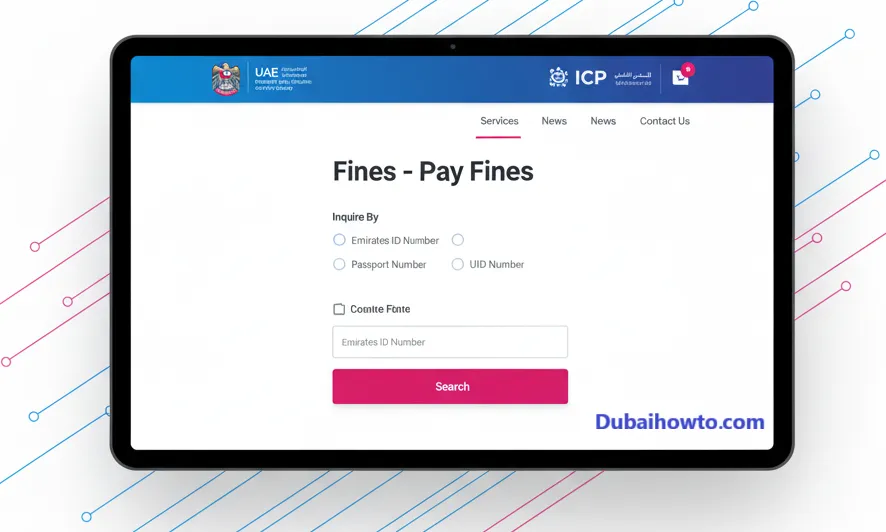
Step 1: Navigate to the official ICP (Federal Authority for Identity, Citizenship, Customs and Port Security) smart services website.
Step 2: Find the “Public Services” or “Fines” section. You may need to search for the “Fines – Pay Fines” service.
Step 3: The system will provide options to search. Select the option to query by ID number, file number, or passport number.
Step 4: Enter your Emirates ID number and date of birth as required.
Step 5: Complete the CAPTCHA or verification step and click “Search.”
Step 6: The portal will display any outstanding federal fines linked to your identity file.
Method 2: Dubai Police App (For Dubai Fines)
This is the fastest way how to check fine on Emirates ID for any violations issued within the Emirate of Dubai, including traffic and some other minor offenses.
Step 1: Download the official “Dubai Police” app from your phone’s app store.
Step 2: Open the app and log in using your UAE Pass for the best experience, or proceed as a guest.
Step 3: Tap on the “Services” tab and select “Fines” or “Traffic Fines Inquiry and Payment.”
Step 4: Choose the “Inquiry by” method. Select “Emirates ID.”
Step 5: Enter your Emirates ID number and any other verification details.
Step 6: The app will immediately list all fines registered against your profile in the Dubai system.
Method 3: Abu Dhabi Police (For Abu Dhabi Fines)
For any traffic violations recorded in Abu Dhabi, use the dedicated AD Police portal.
Step 1: Visit the Abu Dhabi Police website or download the “AD Police” mobile app.
Step 2: Log in using your UAE Pass or create an account.
Step 3: Navigate to the “Traffic Fines Inquiry” or “E-Services” section.
Step 4: Select the “Inquire by Emirates ID” option.
Step 5: Provide your ID number and complete the verification.
Step 6: View a detailed list of any outstanding fines issued by Abu Dhabi Police.
Method 4: MOI UAE App (Other Emirates)
For fines issued in Sharjah, Ajman, Umm Al Quwain, Ras Al Khaimah, and Fujairah, the Ministry of Interior (MOI) app is often the best consolidated platform.
Step 1: Download the “MOI UAE” app.
Step 2: Log in using your UAE Pass.
Step 3: Go to “E-Services” and find the “Traffic & Licensing” section.
Step 4: Select the “Payment of Traffic Fines” service.
Step 5: The system, when linked to your profile, will automatically pull fines associated with your Traffic File Number (TCN), which is linked to your Emirates ID.
Understanding the Types of Fines Linked to Your ID
Your Emirates ID is your central identifier, so various penalties can be linked to it.
ID card renewal fines
As of 2026, you have a grace period after your ID expires. Once this period ends, a late fine (e.g., AED 20 per day) may be applied, capping at a maximum amount (e.g., AED 1,000). These fines are checked via the ICP portal.
Residency and overstay fines
If your residency visa expires and you do not renew or exit the country, overstay fines are calculated daily. These are also managed and checked through the ICP system (or GDRFA for Dubai visas).
Traffic violations
These are the most common fines. They include speeding, parking violations, and Salik/Darb toll evasions. They are tied to your vehicle but also linked to your personal traffic file, which is connected to your Emirates ID.
Pro Tip: Always use the UAE Pass app to log into government portals (ICP, Police, MOI) with a single, secure identity. It simplifies the process and links all your services, giving you a complete dashboard of any outstanding liabilities.
How to Pay Your Fines?
Once you have completed your Emirates ID fine check and identified a penalty, paying it is straightforward.
Online payment methods
All portals and apps listed above (ICP, Dubai Police, AD Police, MOI) offer integrated online payment. You can typically pay instantly using a:
- Credit Card (Visa, Mastercard)
- Debit Card
- Apple Pay or Google Pay (via the mobile apps)
In-person payment at kiosks
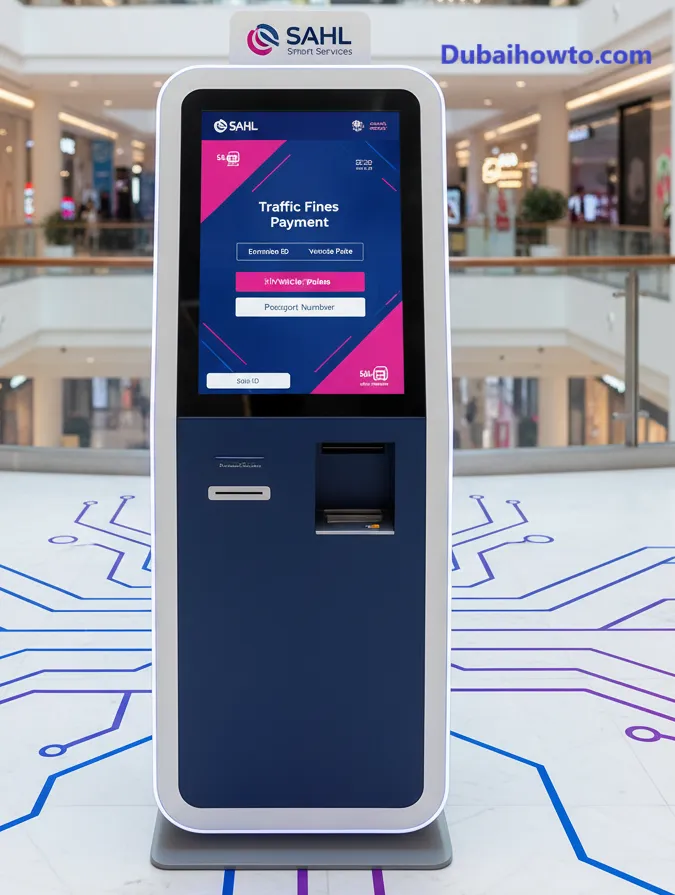
You can also pay fines at self-service kiosks located in shopping malls and government service centers. Look for “Sahl” (Abu Dhabi) or other branded police/MOI payment machines. You will need your Emirates ID card or number to retrieve your fine information.
Consequences of Unpaid Fines
Delaying payment is not recommended. The consequences can include:
- Service Disruption: You will be blocked from renewing your visa, Emirates ID, or car registration.
- Increased Penalties: Late payment fees can be added, increasing the total amount you owe.
- Travel Blocks: For significant fines, a travel ban may be placed on your file, preventing you from leaving the UAE until the amount is settled.
- Vehicle Impoundment: In the case of serious, accumulated traffic fines, your vehicle may be impounded.
Final Thoughts
Performing a regular Emirates ID fine check is a simple but essential part of living in the UAE. By using the correct official portals—ICP for identity, and the respective police apps for traffic—you can stay informed and avoid serious complications. Always clear any penalties promptly to ensure your legal standing and access to services remain in good order.
Disclaimer: All information regarding fines, fees, and procedures is based on data available in November 2026 and is subject to change by official government authorities. Always refer to the official portals for the most current details.
Frequently Asked Questions (FAQs)
How do I check my Emirates ID fine with my passport number?
Most traffic portals, like the Dubai Police and Abu Dhabi Police websites, allow you to query fines using your passport number, especially if you are a tourist or new resident. For residency or ID card fines, the ICP portal typically requires your Emirates ID number or UID (Unified Identity Number).
What is the fine for an expired Emirates ID in 2026?
After your Emirates ID expires, there is a grace period for renewal. Following this period, a late fine of AED 20 per day typically applies, which can cap at a maximum of AED 1,000. These fines must be paid via the ICP portal before the new ID is issued.
Can I leave the UAE if I have an unpaid fine?
It depends on the fine. While a minor parking ticket may not trigger a travel ban, significant accumulated traffic fines or any residency/overstay fines will almost certainly block you at airport immigration. It is crucial to clear all outstanding fines before planning to travel.
How to check fine on Emirates ID for RTA violations?
RTA (Roads and Transport Authority) fines in Dubai, such as parking or Salik violations, can be checked directly on the RTA website or through the Dubai Police portal. Both systems are integrated, and the fines will be linked to your vehicle and your Emirates ID profile.
Last updated: October 2026
Reviewed by: A.R. Khan, UAE Government Services Expert

Author: The DubaiHowto Editorial Team
DubaiHowto is an independent informational platform created to help UAE residents and visitors understand everyday services such as public transport, telecom, government procedures, visas, fines, and utility systems.
Our editorial team researches and verifies content using official UAE sources (including government portals, service providers, and regulatory authorities) and real on-ground experience of living in the UAE. Each guide is written to be practical, easy to understand, and regularly updated to reflect the latest rules, fees, and procedures.
We focus on clarity, accuracy, and usefulness — especially for people navigating UAE systems for the first time. Learn More about DubaiHowto.
Last reviewed: February 2026. Sources: Official UAE portals and service providers