
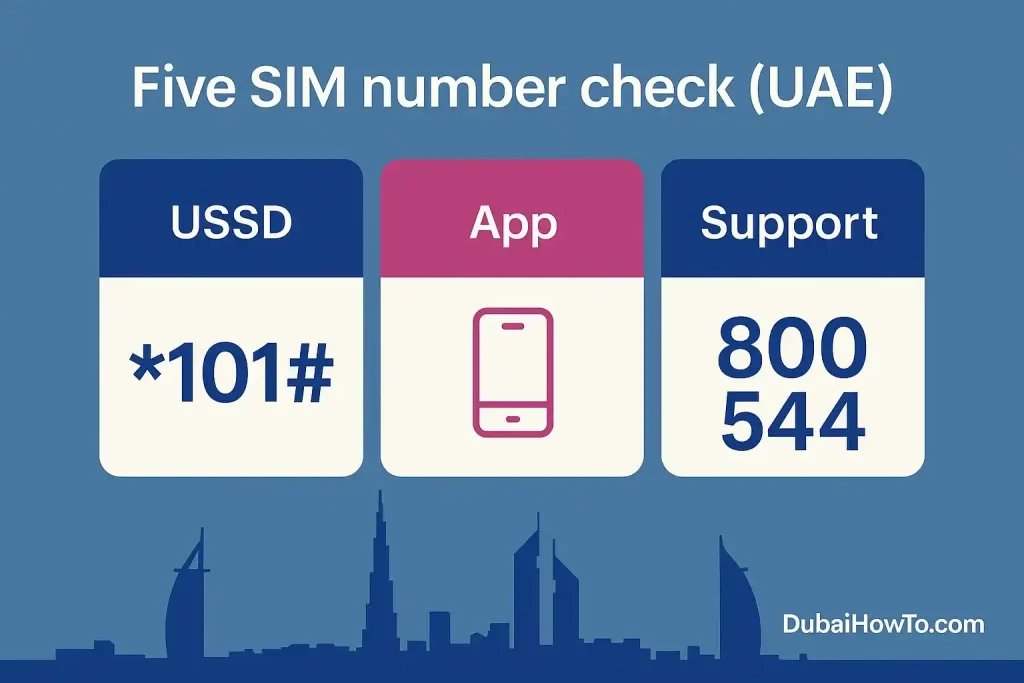
Need to do a five sim number check in the UAE? The quickest ways are: dial *101# to open the Etisalat menu and view account info, open the Five app to see your number on the dashboard, or contact 800 544 support if you’re stuck. These work on basic phones too.
Find your Five number now:
- Dial *101# → Account/Info → My number (works without data).
- Open “Five App” → Account/Profile to read your number on the home screen.
- Call 800 544 (Five care) if menus differ or SIM is blocked.
What is Five in the UAE? (and why methods vary)
Powered by Etisalat’s network, Five is a prepaid brand with its own app and support but it inherits Etisalat’s USSD menus. That’s why you’ll see *101# (Etisalat’s account menu) and Five-specific help via 800 544 used side-by-side. Expect minor menu wording changes over time.
H3: Where your number usually appears
- USSD path: Account/Info → My number
- App path: Five App → Account / Profile
- On paper: printed on your SIM starter pack (sticker or card)
Method 1 — USSD (works on any phone)
Step 1: Open the dialer.
Step 2: Dial *101#.
Step 3: Choose Account / Account information.
Step 4: Select My number to display it on-screen.
Why this is reliable: *101# is Etisalat’s one-stop account menu used by Five as well. It works without mobile data and even on feature phones. If the exact sub-option names differ, browse logically—“Account,” “My account,” or “Info” typically lead to the same screen.
If *101# returns a different menu
- Try Account → My account → Number/Line info.
- If you only see balance/add-ons, jump to Method 2 (app) or Method 4
Method 2 — Five App (most user-friendly)
Step 1: Launch the Five App.
Step 2: Sign in (OTP to your SIM).
Step 3: Check Account / Profile; your number is shown on the dashboard.
When to prefer the app
- Managing multiple Five lines.
- Need balance, plan and number in one view.
- You’re on Wi-Fi and USSD is slow or blocked.
Method 3 — “Call/SMS another phone” fallback
Step 1: Place a missed call or send a short SMS to a nearby phone.
Step 2: Read the caller ID/SMS header on that device.
Step 3: Save the number in your contacts as “Me (Five)”.
Caveats
- Requires outgoing allowance or an active plan.
- Roaming or caller-ID restrictions can hide your number—use App/USSD instead.
Method 4 — Customer care (when SIM or menu is locked)
Step 1: From any UAE phone, call 800 544 (Five support).
Step 2: Verify ownership (Emirates ID/SIM details).
Step 3: Ask the agent to read out or SMS the number tied to your SIM.
H3: Other helpful Five/Etisalat short codes
- *121# — balance check (often works on Five).
- 120 — recharge IVR using Etisalat vouchers.
- *101# — offers & account menu (entry point to number info).
Pro Tip: If you’re setting up a new handset, first dial *101# to confirm the number, then open the Five App on Wi-Fi so OTP arrives on the correct line. Save the number as a contact immediately.
Summary table — “five sim number check” methods (UAE)
| Method | Works without data? | Typical path |
|---|---|---|
| USSD *101# | Yes | Account → Info → My number |
| Five App | No (needs data/Wi-Fi) | Dashboard → Account/Profile |
| Call/SMS another phone | Needs credit | Place missed call/SMS |
| Call 800 544 | Yes | Support verification |
Quick ways to do a five sim number check (AE).
Troubleshooting common issues
USSD shows balance but not number
That menu comes from Etisalat’s account hub. Try a second level like “Account info”. If still missing, switch to the Five App; it surfaces the number on login.
No outgoing credit for missed call/SMS
Use *101# (no charge) or Wi-Fi + Five App and you can still see the number.
SIM activated but not recognized by the app
Wait a few minutes after first network registration, then retry OTP. If still failing, call 800 544 for a manual check.
Final thoughts
For most users, *101# is the fastest universal path, while the Five App is the most complete view of your line. Keep 800 544 handy for edge cases like blocked SIMs or activation issues. Do a five sim number check once, save it as a contact, and you’re set.
FAQ on Five number check UAE
Is there a single “five sim number check code” that works for everyone?
Use *101# to open the Etisalat account menu; the My number option appears under Account/Info on most Five lines. If your menu looks different, switch to the Five App or call 800 544.
Does the method work while roaming?
USSD menus may not respond while roaming. Connect to Wi-Fi and use the Five App, or contact support.
Can I see my Five number without balance or data?
Yes—dial *101#. It works without data or credit on most lines.
What if I just activated my SIM and can’t receive OTP?
Wait a few minutes after first network registration, then retry. If OTP still fails, call 800 544 to check activation status.
Is there an SMS keyword to reveal my number?
Etisalat uses 1010 for many SMS requests (e.g., data/roaming). Keywords change; for number retrieval, USSD/App is more reliable.
Last updated: October 2026
Reviewed by: Telecom Editor (UAE prepaid & MVNO specialist)

Author: The DubaiHowto Editorial Team
DubaiHowto is an independent informational platform created to help UAE residents and visitors understand everyday services such as public transport, telecom, government procedures, visas, fines, and utility systems.
Our editorial team researches and verifies content using official UAE sources (including government portals, service providers, and regulatory authorities) and real on-ground experience of living in the UAE. Each guide is written to be practical, easy to understand, and regularly updated to reflect the latest rules, fees, and procedures.
We focus on clarity, accuracy, and usefulness — especially for people navigating UAE systems for the first time. Learn More about DubaiHowto.
Last reviewed: February 2026. Sources: Official UAE portals and service providers