
Trying to stop the auto-renewing Du 2 AED daily data? Here’s exactly how to deactivate Du daily data package 2 AED via SMS, the Du app, and support—plus how to confirm it’s off, fix stubborn renewals, and better plan options for UAE prepaid users in 2026.
Do this next to deactivate Du daily data package 2 AED
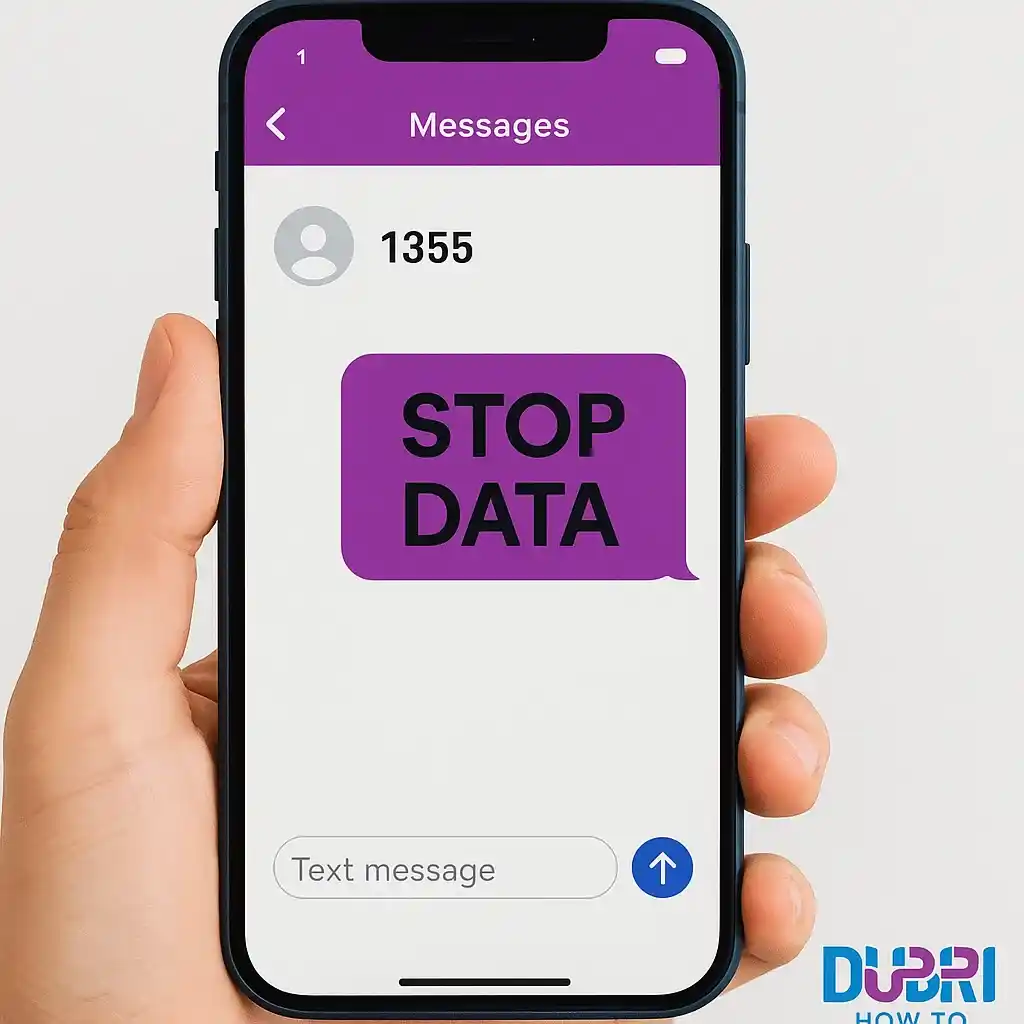
- Send “STOP DATA” to 1355 and wait for the confirmation SMS.
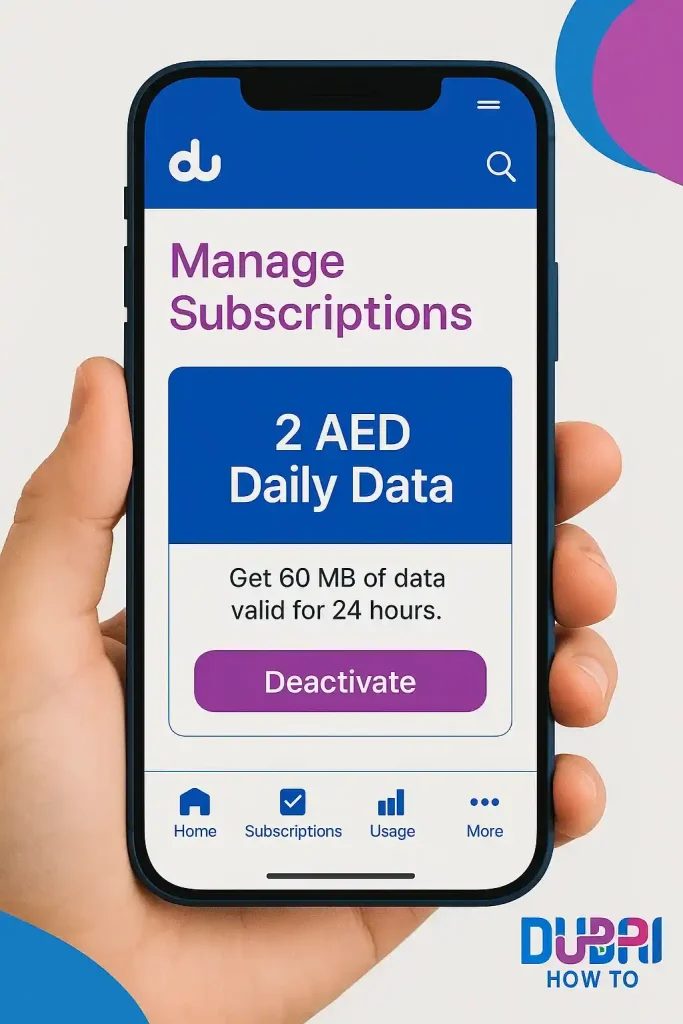
- In the Du app → Manage subscriptions, make sure the 2 AED bundle shows Inactive.
- If deductions continue, dial 155 and ask the agent to remove/disable auto-renewal.
What is the Du daily data package 2 AED?
The Du 2 AED daily data package provides 60MB per day for prepaid users. It is designed for light browsing or messaging but has an auto-renewal feature, meaning 2 AED is deducted every 24 hours unless manually cancelled.
Package highlights:
| Feature | Details |
|---|---|
| Data allowance | 60MB/day |
| Price | 2 AED |
| Validity | 24 hours, auto-renewal |
| Subscription | SMS “DATA” to 1355 |
Methods to cancel the 2 AED daily bundle
Method 1 — SMS (quickest)
Step 1. Open your Messages app.
Step 2. Send STOP DATA to 1355.
Step 3. Wait for Du’s confirmation SMS that the daily data has been deactivated.
What to expect:
- Confirmation usually arrives within a minute.
- If you don’t receive it, re-send once (avoid spamming), then move to Method 2.
Method 2 — Du app (visual control)
Step 1. Open the Du app and sign in with your number.
Step 2. Go to My Account → Plans / Manage subscriptions.
Step 3. Locate Daily Data 2 AED and tap Deactivate / Turn off auto-renewal.
Step 4. Confirm and check the status flips to Inactive.
Tip: The app lets you see all active add-ons. If you often test short bundles, review this screen weekly.
Method 3 — Agent support (for stuck cases)
Step 1. Dial 155 from your Du line.
Step 2. Ask the agent to remove the “Daily Data 2 AED” add-on and disable any auto-renew connected to it.
Step 3. Request a confirmation SMS before ending the call.
Confirm it’s really deactivated
Step 1. After cancelling, send BALANCE to 1355 (or use the app’s Active plans view).
Step 2. Monitor for 24–48 hours. If no 2 AED deduction posts at your usual renewal time, you’re clear.
Step 3. Turn mobile data off for an hour, then back on—some users report a forced auto-start if data is used with no plan. If it doesn’t trigger, the bundle is properly off.
If the 2 AED bundle keeps renewing (troubleshooting)
- Re-cancel once by SMS, then via the app, in that order.
- In the app, ensure auto-renew for the daily bundle shows Off. Some accounts show separate toggles for renewal vs activation.
- Clear wallet locks: Top up by 3–5 AED, then cancel again—rarely, very low balance can block change-of-state messages.
- SIM refresh: Toggle airplane mode for 30 seconds or reboot; then re-check “Active plans”.
- Agent escalation: Ask the 155 agent to remove residual provisioning and note your account to prevent forced daily bundles.
Avoid accidental re-activations
- Keep data off when you don’t have an active plan; some networks auto-start a daily pack at first data usage.
- In the Du app → Subscriptions, review every 1–2 weeks.
- Decline promo pop-ups that auto-opt you into short data passes.
- Set a balance alert on your phone (or an automation) when credit drops by 2 AED unexpectedly.
Better-value alternatives for this package
Prices and allowances change; always confirm in the Du app on the day you buy. Data below reflects typical UAE prepaid patterns as of 2026.
Common alternatives to the daily 2 AED
| Option (typical) | Data allowance | Validity | Typical price (AED) | When to choose |
|---|---|---|---|---|
| Daily data (higher cap) | ~150–250 MB | 1 day | 3–5 | If you truly need only a day, but 60 MB is too tight |
| Weekly mini pack | 0.5–2 GB | 7 days | 15–35 | Light maps/chat/social for a week |
| Monthly starter | 1–4 GB | 28–30 days | 35–75 | Consistent light usage on a budget |
| Social add-on | App-limited | 1–30 days | 2–40 | If your usage is mainly social apps |
| Night data | Larger cap at night | 1–30 days | Varies | Downloads/updates overnight |
Use higher-validity plans if you open maps, reels, or cloud apps—60 MB disappears fast.
Pro Tip
If you’re unsure which add-on is draining credit, turn data off for a day and watch balance. If 2 AED stops disappearing, you’ve confirmed the culprit and can cancel with “STOP DATA” to 1355 before turning data back on.
Final thoughts
The 2 AED daily data is handy in a pinch, but its auto-renewal is what catches most prepaid users. You now know how to deactivate Du daily data package 2 AED by SMS, app, or a quick call—and how to verify it’s truly off. When you need ongoing data, a weekly or monthly pack usually saves money and stress.
Frequently Asked Questions
Does sending “STOP DATA” to 1355 always cancel the daily pack?
It cancels the standard 2 AED daily data on most prepaid lines. If you don’t get a confirmation SMS or the charge appears again, use the Du app to turn off auto-renew and call 155 for removal.
Why do I still see 2 AED deductions after cancellation?
Two common reasons: the auto-renew toggle remained on in the app, or a residual provisioning flag needs agent removal. Re-check the app, then call 155 and request confirmation by SMS.
How can I stop Du from starting daily data automatically?
Keep mobile data off when no plan is active, review Active plans in the app weekly, and avoid one-tap promos that trigger short bundles.
Can I reactivate the daily plan later?
Yes—via the Du app or the usual subscription keyword. Just remember to turn auto-renew off if you only need it for the day.
What’s the best replacement for light, regular use?
A weekly mini (0.5–2 GB) or monthly starter (1–4 GB) is typically cheaper per MB and avoids daily surprises.
Last updated: October 2026
Reviewed by: A. Kareem, Telecom policy & prepaid analyst (UAE), 9+ years
Compliance note: Information is for general guidance in the UAE; fees and inclusions can change without notice. This is not legal/financial advice.

Author: The DubaiHowto Editorial Team
DubaiHowto is an independent informational platform created to help UAE residents and visitors understand everyday services such as public transport, telecom, government procedures, visas, fines, and utility systems.
Our editorial team researches and verifies content using official UAE sources (including government portals, service providers, and regulatory authorities) and real on-ground experience of living in the UAE. Each guide is written to be practical, easy to understand, and regularly updated to reflect the latest rules, fees, and procedures.
We focus on clarity, accuracy, and usefulness — especially for people navigating UAE systems for the first time. Learn More about DubaiHowto.
Last reviewed: February 2026. Sources: Official UAE portals and service providers