
The C3Pay app cannot send money to UAE bank accounts yet; Edenred says the feature is not available. To move money into a UAE account, withdraw it at an ATM (up to AED 5,000 a day) and deposit it at your bank’s cash deposit machine (CDM). For family abroad, the app sends money straight to bank accounts in India, Pakistan, Nepal, Bangladesh, Sri Lanka and the Philippines for AED 5 to AED 19.95 per transfer.
Do this next:
- Download: Ensure you have the latest C3Pay app (formerly MyC3Card) from the Play Store or App Store.
- Prepare: Have the recipient’s IBAN (International Bank Account Number) ready.
- Check Balance: Open the app or call 600 56 7772 to make sure you have enough to cover the amount plus fees.
Sending to a UAE bank? The app cannot do this yet, so withdraw cash from an ATM, then deposit it into your account at your bank’s CDM. Keep the withdrawal slips and check both balances before you leave.
Method 1: C3Pay App (Transfers to Bank Accounts Abroad)
The C3Pay app (by Edenred) is the official way to manage your salary card. It sends money straight to bank accounts in India, Pakistan, Nepal, Bangladesh, Sri Lanka and the Philippines. Transfers to UAE bank accounts are not available yet, so for a UAE account use Method 2.
Step 1: Register and Verify
If you haven’t used the app before, you must complete the KYC (Know Your Customer) process.
- Open the app and tap Sign Up.
- Scan your Emirates ID (front and back) when prompted.
- Create a 4-digit PIN for the app.
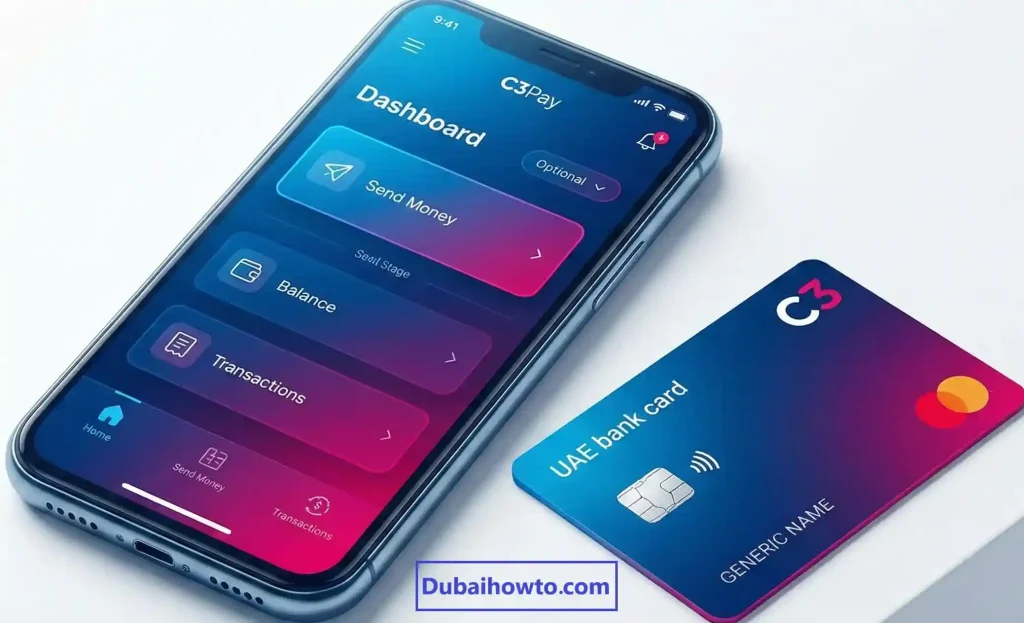
Step 2: Add a Beneficiary
You cannot send money to a random account without saving them first.
- Go to the “Send Money” tab on the dashboard.
- Select “Add Beneficiary” (or “New Recipient”).
- Choose “Bank Account” as the transfer type.
- Enter the details: Full Name, Bank Name, and IBAN.
Step 3: Execute the Transfer
- Select the beneficiary you just added.
- Enter the amount (e.g., AED 500).
- Review the transaction fees (usually visible on the confirmation screen).
- Confirm with the OTP sent to your registered mobile number.
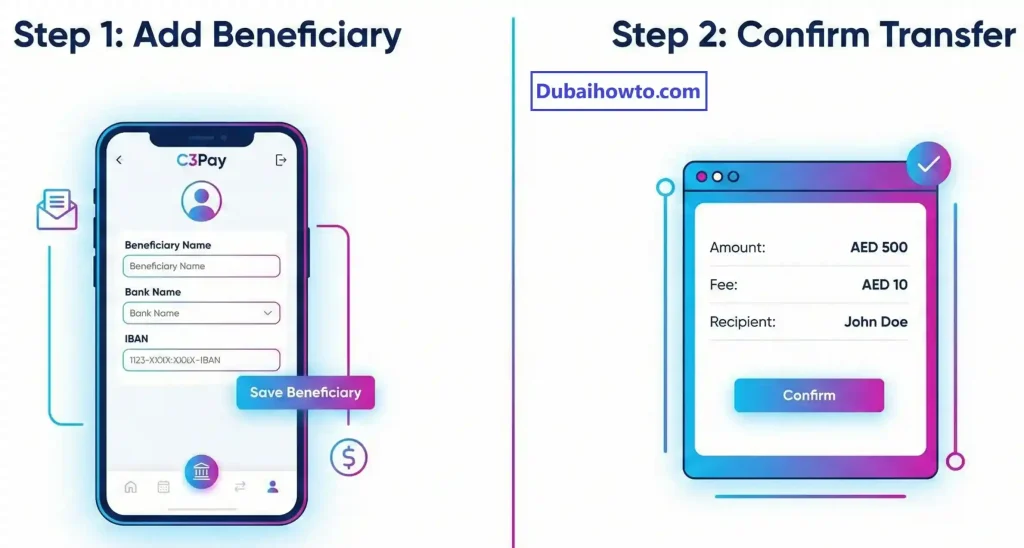
Note: There is no option to send to a UAE bank account in the app. To move money into a UAE account, use Method 2.
Method 2: ATM Withdrawal and Deposit (for UAE Bank Accounts)
C3Pay is a payroll card, not a bank account, and its app cannot send money to UAE banks. The way to move your salary into a UAE account (ADCB, Emirates NBD, Dubai Islamic Bank and so on) is to withdraw it and deposit it.
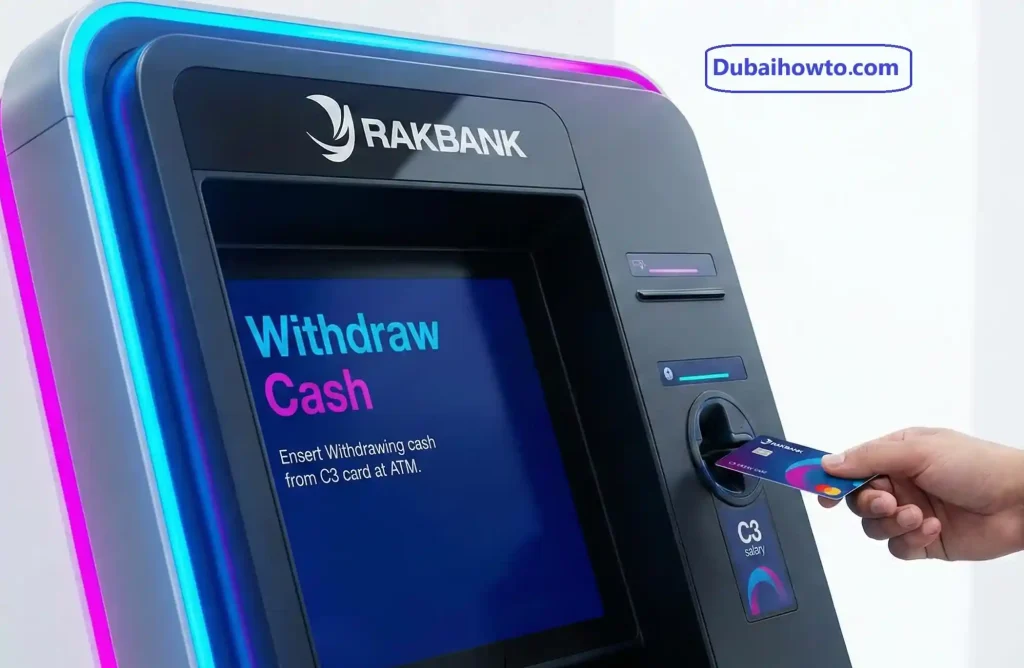
Step 1: Withdraw Cash
Visit any ATM in the UAE. C3Pay cards run on the MasterCard network, so they work universally.
- Tip: You get 2 free withdrawals a month at C3Pay ATMs and 1 at RAKBANK ATMs; other ATMs charge AED 2 per withdrawal.
- Withdraw what you need, up to AED 5,000 a day.
Step 2: Deposit to Target Bank
Go to the Cash Deposit Machine (CDM) of the bank where you want to send the money.
- Insert your personal debit card for that bank (or use Cardless Deposit if you know the account number).
- Place the cash in the shutter.
- Confirm the deposit.
Cash deposited at your own bank’s CDM is usually credited straight away, so this is also the fastest option.
Method 3: Exchange Houses
For a country the app does not cover, or if you prefer a counter, use an exchange house such as Al Ansari, Lulu Exchange or Al Fardan.
- Step 1: Withdraw the cash you want to send from an ATM.
- Step 2: Visit the exchange house with your Emirates ID and the recipient’s bank details.
- Step 3: Pay in the cash and send it to the bank account, in the UAE or abroad.
- Step 4: Pay the exchange house’s fee, which depends on the provider and the destination.
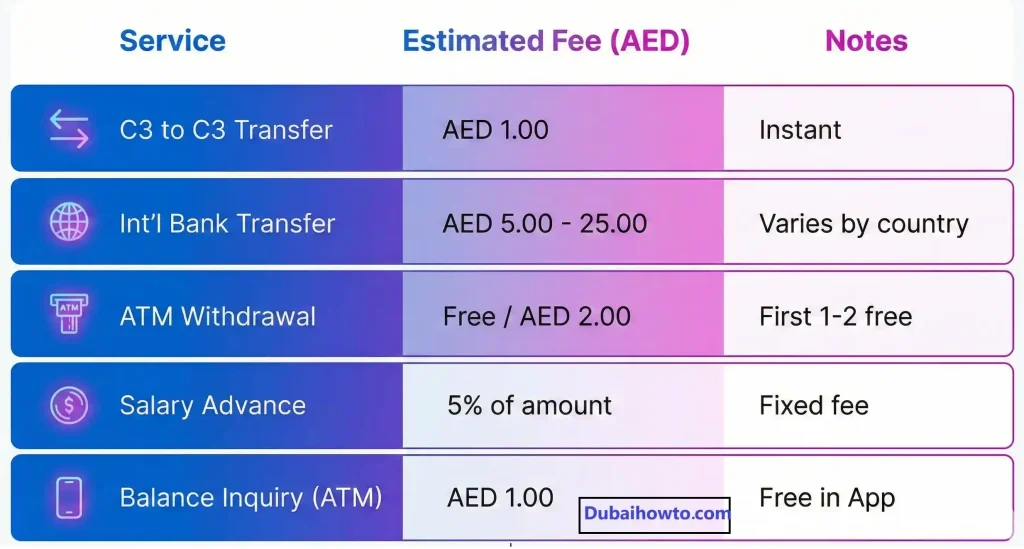
C3Pay Fees and Limits (2026 Updates)
Understanding the costs associated with your C3 card can save you money. Edenred updates these fees periodically.
| Service | Estimated Fee (AED) | Notes |
| C3Pay to C3Pay transfer | AED 1 per transfer | Instant. Limit AED 1,000 a month, up to 20 beneficiaries. |
| International bank transfer | AED 5 to AED 19.95 | Depends on the country. Available to India, Pakistan, Nepal, Bangladesh, Sri Lanka and the Philippines. |
| ATM withdrawal | Free twice a month at C3Pay ATMs and once at RAKBANK; AED 2 at other ATMs | Up to AED 5,000 a day. |
| Transaction SMS alerts | AED 3 a month (excl. VAT) | Optional; switch on in the app or by calling 600 56 7772. |
| Salary SMS alert | AED 0.50 per alert | Optional. |
Transfer Timelines
- C3 to C3: Instant.
- International Remittance: Minutes to 24 hours (depending on destination).
- UAE bank account: not available in the app; an ATM withdrawal plus CDM deposit is immediate.
If your C3Pay card is deleted: move your balance out
In April 2026, C3Pay sent cardholders an SMS saying that from 17 April 2026, a deleted card that still holds money is charged AED 10.50 a month (VAT included) until the balance is withdrawn or transferred. Cards are usually deleted when you leave the employer that issued them.
Before your last working day, withdraw the balance at an ATM or send it abroad through the app, then check that the card shows AED 0. The full terms are linked in the C3Pay SMS and app.
Pro Tip:
“Always keep your registered mobile number active. If you lose access to your phone number, you cannot receive the OTP required to add beneficiaries or authorize transfers. To update your number, you must contact C3 support immediately.”
Troubleshooting Common Issues
1. “Transaction Failed” Error
This usually happens if your balance is too low to cover the transfer amount + fee. For example, if you have AED 500 and try to send AED 500, it will fail because you didn’t leave room for the fee (AED 5 to AED 19.95 for international transfers). Always leave a buffer of AED 20.
2. App Login Issues
If the app is crashing or not accepting your credentials, ensure your Emirates ID on file hasn’t expired. C3Pay often freezes accounts with expired IDs until the new ID is scanned via the app.
3. Blocked Card
If you enter your PIN incorrectly 3 times at an ATM, the card blocks automatically. Call C3Pay on 600 56 7772 (not toll-free) or message +971 58 876 2762 on WhatsApp. Edenred notes that the ATM PIN itself cannot be changed.
Final Thoughts
Transferring money from a C3 card to a bank account is best done via the C3Pay app for international needs or the ATM withdrawal method for local UAE transfers. While the card is excellent for receiving salary and shopping (POS), it lacks some of the seamless “local transfer” features of a standard current account.
Always check your balance in the app before a transfer, and use your free C3Pay and RAKBANK ATM withdrawals to avoid the AED 2 fee.
Frequently Asked Questions (FAQs)
Can I deposit money into my C3 card?
No. Edenred says deposits into C3Pay cards are not enabled yet; the card only receives salary paid by your employer.
How do I check my C3 Pay salary balance?
Use the C3Pay app, check at any ATM, or call 600 56 7772. Edenred does not list an SMS balance service, although you can pay for optional SMS alerts (AED 3 a month for transaction alerts).
Is there a limit to how much I can transfer?
Yes. C3Pay-to-C3Pay transfers are limited to AED 1,000 a month, ATM withdrawals to AED 5,000 a day, and the limit for international transfers is shown in the app before you confirm.
How do I contact C3Pay customer care?
Call 600 56 7772 (+971 6005 67772, not toll-free), message +971 58 876 2762 on WhatsApp, or email support.AE@edenred.com.
Can I transfer money from C3 card to another C3 card?
Yes. Transfers to another C3Pay card are instant and cost AED 1 each, with a limit of AED 1,000 a month and up to 20 saved beneficiaries.
Can I transfer money from C3Pay to a UAE bank account?
Not directly. Edenred says local UAE bank transfers are not available yet. Withdraw the cash at an ATM (up to AED 5,000 a day) and deposit it at your bank’s cash deposit machine.
How much does C3Pay charge to send money to India?
International transfers through the app cost between AED 5 and AED 19.95 depending on the country, and the exact fee is shown before you confirm. India is one of six supported countries, along with Pakistan, Nepal, Bangladesh, Sri Lanka and the Philippines.
What is the C3 card ATM withdrawal limit?
You can withdraw up to AED 5,000 a day. Your first 2 withdrawals each month at C3Pay ATMs and 1 at RAKBANK ATMs are free; other ATMs charge AED 2.
Last Updated: October 2026
Reviewed by: Senior Fintech Editor (UAE)
Last reviewed: August 2026. DubaiHowTo verifies steps against official UAE sources (government portals and service providers) and practical on-ground usage. Always confirm fees and eligibility on the official site before you act — rules change.
Sources: Cross-check with the relevant official portal for this topic (e.g. ICP, GDRFA, MOHRE, RTA, e&/Etisalat, du, FAB, Edenred/C3Pay).
More guides you may need

Author: The DubaiHowto Editorial Team
DubaiHowto is an independent informational platform created to help UAE residents and visitors understand everyday services such as public transport, telecom, government procedures, visas, fines, and utility systems.
Our editorial team researches and verifies content using official UAE sources (including government portals, service providers, and regulatory authorities) and real on-ground experience of living in the UAE. Each guide is written to be practical, easy to understand, and regularly updated to reflect the latest rules, fees, and procedures.
We focus on clarity, accuracy, and usefulness — especially for people navigating UAE systems for the first time. Learn More about DubaiHowto.
Last reviewed: February 2026. Sources: Official UAE portals and service providers